
Operating Instructions Troubleshooting
Operating Instructions Troubleshooting Read this manual carefully before you use this machine and keep it handy for future reference. For safe and correct use, be sure to read the
Download Operating Instructions Troubleshooting

Information
Domain:
Source:
Link to this page:
Documents from same domain

Istruzioni per l’uso Risoluzione dei problemi
support.ricoh.comIstruzioni per l’uso Risoluzione dei problemi Leggere attentamente questo manuale prima di utilizzare la macchina e tenerlo a disposizione per …

Operating Instructions General Settings Guide - …
support.ricoh.comOperating Instructions General Settings Guide Read this manual carefully before you use this machine and keep it handy for future reference. For safe and correct use, be sure to …

DDST Unit Type A / Type B - Ricoh
support.ricoh.comDDST Unit Type A / Type B Operating Instructions Printer / Scanner Reference Read this manual carefully before you use this machine and keep it handy for future reference.

Gebruiksaanwijzing Scannerhandleiding - …
support.ricoh.comGebruiksaanwijzing Scannerhandleiding Lees deze handleiding zorgvuldig door voordat u dit apparaat gebruikt en houd hem bij de hand voor toekomstig gebruik.

SP 210/SP 210SU/SP 210SF/ SP 211/SP ... - …
support.ricoh.com5 CTT213 CTT073 CTT074 DCT032 DCT049 CTT029 To connect to the network via wireless LAN, see Wi‑ Fi Settings Guide. Otherwise, see page 7 "2. Install‑

Manuel utilisateur Guide de paramétrage général
support.ricoh.comManuel utilisateur Guide de paramétrage général Lisez attentivement ce manuel avant d’utiliser ce copieur et conservez-le dans un endroit accessible afin de pouvoir vous y référer ultérieure-

SP 212/SP 213 Series Wi-Fi Settings Guide - Ricoh
support.ricoh.com1 Model No. SP 212/SP 213 Series Wi-Fi Settings Guide Introduction There are two wireless LAN modes: infrastructure mode for connection through an access point and ad-hoc mode for establishing direct connection with a wireless LAN-capable device

Operating Instructions General Settings Guide - …
support.ricoh.comOperating Instructions General Settings Guide Read this manual carefully before you use this machine and keep it handy for future reference. For safe and correct use, be sure to …

Operating Instructions Troubleshooting - Ricoh
support.ricoh.comOperating Instructions Troubleshooting Read this manual carefully before you use this machine and keep it handy for future reference. For safe and correct use, be …

Network Guide - Ricoh
support.ricoh.comNetwork Guide Read this manual carefully before you use this machine and keep it handy for future reference. For safe and correct use, be sure to read the
Related documents
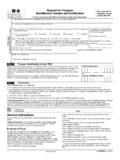
Form W-9 (Rev. October 2018) - IRS tax forms
www.irs.govForm W-9 (Rev. 10-2018) Page . 2 By signing the filled-out form, you: 1. Certify that the TIN you are giving is correct (or you are waiting for a

User Guide What You Can Do with This Machine
support.ricoh.comfacsimile, and scanner mode) • Press to register frequently used settings, or ... Lights continuously during data transmission •Fax Received indicator ... Cover/Slip Sheet • Front Cover / Front/Back Cover: Create cover sheets. • Designate: Copies certain pages of the ...

MEDICARE WAIVER DEMONSTRATION APPLICATION
www.cms.govpages, exclusive of the cover letter, executive summary, forms, and supporting documentation. Because of staffing and resource limitations, and because we require an application containing an original signature, we cannot accept applications by facsimile (FAX) transmission. FOR FURTHER INFORMATION

MX-2600N | MX-3100N Quick Start Guide - SharpUSA
business.sharpusa.com(10)Tray 4 (when a stand/2 x 500 sheet paper drawer is installed)* This holds paper. Up to 500 sheets (21 lbs. (80 g/m2)) of paper can be loaded. (11)Tray 5 (when a large capacity tray is installed)* Up to 3500 sheets (21 lbs. (80 g/m2)) of paper can be loaded. When a stand/1 x 500 sheet paper drawer is installed, this is tray 4. * Peripheral ...
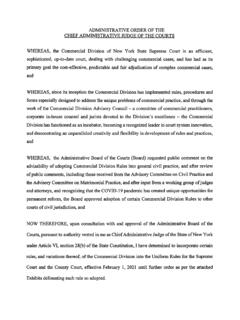
Administrative Order Table of Contents: Exhibits and Rules ...
www.nycourts.govfacsimile telephone number that may receive a return facsimile transmission, and the number of total pages, including the cover page, being filed. The papers, including exhibits, shall comply with the requirements of CPLR 2101(a) and section 202.5 of this Part and shall be signed as required by law. Whenever a paper is filed that requires the