
Operating Instructions Troubleshooting
Troubleshooting Read this manual carefully before you use this machine and keep it handy for future reference. For safe and correct use, be sure to read the Safety Information in "About This Machine" before using the machine. When the Machine Does Not Operate As Wanted Troubleshooting When Using the Copy Function
Download Operating Instructions Troubleshooting

Information
Domain:
Source:
Link to this page:
Documents from same domain

Istruzioni per l’uso Risoluzione dei problemi
support.ricoh.comIstruzioni per l’uso Risoluzione dei problemi Leggere attentamente questo manuale prima di utilizzare la macchina e tenerlo a disposizione per …

Operating Instructions General Settings Guide - …
support.ricoh.comOperating Instructions General Settings Guide Read this manual carefully before you use this machine and keep it handy for future reference. For safe and correct use, be sure to …

DDST Unit Type A / Type B - Ricoh
support.ricoh.comDDST Unit Type A / Type B Operating Instructions Printer / Scanner Reference Read this manual carefully before you use this machine and keep it handy for future reference.

Gebruiksaanwijzing Scannerhandleiding - …
support.ricoh.comGebruiksaanwijzing Scannerhandleiding Lees deze handleiding zorgvuldig door voordat u dit apparaat gebruikt en houd hem bij de hand voor toekomstig gebruik.

SP 210/SP 210SU/SP 210SF/ SP 211/SP ... - …
support.ricoh.com5 CTT213 CTT073 CTT074 DCT032 DCT049 CTT029 To connect to the network via wireless LAN, see Wi‑ Fi Settings Guide. Otherwise, see page 7 "2. Install‑

Manuel utilisateur Guide de paramétrage général
support.ricoh.comManuel utilisateur Guide de paramétrage général Lisez attentivement ce manuel avant d’utiliser ce copieur et conservez-le dans un endroit accessible afin de pouvoir vous y référer ultérieure-

SP 212/SP 213 Series Wi-Fi Settings Guide - Ricoh
support.ricoh.com1 Model No. SP 212/SP 213 Series Wi-Fi Settings Guide Introduction There are two wireless LAN modes: infrastructure mode for connection through an access point and ad-hoc mode for establishing direct connection with a wireless LAN-capable device

Operating Instructions General Settings Guide - …
support.ricoh.comOperating Instructions General Settings Guide Read this manual carefully before you use this machine and keep it handy for future reference. For safe and correct use, be sure to …

Operating Instructions Troubleshooting - Ricoh
support.ricoh.comOperating Instructions Troubleshooting Read this manual carefully before you use this machine and keep it handy for future reference. For safe and correct use, be …

Network Guide - Ricoh
support.ricoh.comNetwork Guide Read this manual carefully before you use this machine and keep it handy for future reference. For safe and correct use, be sure to read the
Related documents

PC Troubleshooting and Maintenance Guide
h10032.www1.hp.comPC Troubleshooting and Maintenance Guide 3 Windows reports smaller capacity in the Windows Explorer tool and in the My Computer window because it shows information about one partition on the hard disk drive at a time. The first partition contains the System Recovery information. Recommended Maintenance Schedule
HRConnect Setup and Troubleshooting Guide for Remote …
www.ccf.orgTroubleshooting Guide for Remote Users 8 External Mac Computer Users Mac users accessing the new HRConnect Portal from external Mac computers have two possible options: 1. Connect to the Cleveland Clinic network using a token through 4|Corners or 4|Corners Lite. * 2.

PeopleSoft Access & Internet Browser Troubleshooting
baptisthealth.netSteps for Troubleshooting your Internet Browser ... home computer, it is recommended to upgrade your home computer as you will not be able to login to PeopleSoft. 13 Determine if your Internet browser version is supported

TROUBLESHOOTING STEPS FOR ACCESSING EPIC FROM THE …
epic.team.uhsystem.comTROUBLESHOOTING STEPS FOR ACCESSING EPIC FROM THE WEB . If you have difficulty launching EPIC Hyperspace Production from the web, please follow the below instructions: *Note that we recommend Internet Explorer 7.0 or 8.0 at this time. 1) Add the Epic URL to the trusted sites in Internet Explorer. a) Click on Start and click on Control Panel.

Configuring your Windows 10 computer for dbRASweb …
dbrasweb.db.comConfiguring your Windows 10 computer for dbRASweb This page provides instructions on how to configure your Windows machine to connect to dbRASweb. Section 1: Installing Citrix Workspace 1. Browse to Citrix Workspace 2. Click Download Citrix Workspace app for …

Quick Setup - VS250/VS350/VS355
files.support.epson.comComputer USB cable HDMI cable VGA cable Audio cable Computer port Connect one end of a VGA cable to the projector’s Computer port, and the other end to your laptop or computer’s monitor port. Make sure to switch your laptop to external display (see “Troubleshooting” on this sheet). You can also connect an audio cable. HDMI port

USER GUIDE and TROUBLESHOOTING
images-eu.ssl-images-amazon.comSound troubleshooting–headphones and earphones 1. Snapping, crackling, popping, or no audio on one side 1. Make sure the 3.5 mm audio jack is fully plugged in. The straight input connects to your headset, and the L-shaped input connects to your audio device. 2. Check that your audio source is on and working. 3.
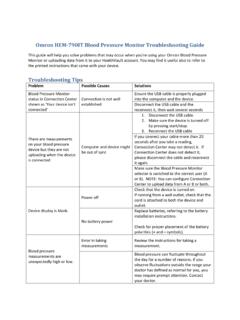
Omron HEM-790IT Blood Pressure Monitor …
omronhealthcare.comTroubleshooting Tips Problem Possible Causes Solutions Ensure the USB cable is properly plugged into the computer and the device. Blood Pressure Monitor status in Connection Center shown as ‘Your device isn’t connected’ Connection is …

i-Ready Technical FAQs and Troubleshooting Guide
www.brevardschools.orgBasic Troubleshooting ... appear on a student’s screen is for the edit to happen on the computer they are currently using. If the screen is refreshed or the student moves to another page, the change disappears. While this may be distressing and can potentially create a distraction in the classroom or lab, unfortunately it’s an issue ...

Troubleshooting Common Problems - OpenOffice
www.openoffice.orgTroubleshooting Chapter. Modifications and updates Version Date Description of Change [1.0] [2006-02-23] [grs: Initial edition issued for comment] [1.1] [2006-08-01] [wam: Edited for clarity/format, added parts from User Guide] [2.0] [2006-08-19] [wam: Added and edited new sections] Troubleshooting Common Problems ii