
Operating Instructions Troubleshooting - Ricoh
Operating Instructions Troubleshooting Read this manual carefully before you use this machine and keep it handy for future reference. For safe and correct use, be sure to read the
Download Operating Instructions Troubleshooting - Ricoh

Information
Domain:
Source:
Link to this page:
Documents from same domain

Istruzioni per l’uso Risoluzione dei problemi
support.ricoh.comIstruzioni per l’uso Risoluzione dei problemi Leggere attentamente questo manuale prima di utilizzare la macchina e tenerlo a disposizione per …

Operating Instructions General Settings Guide - …
support.ricoh.comOperating Instructions General Settings Guide Read this manual carefully before you use this machine and keep it handy for future reference. For safe and correct use, be sure to …

DDST Unit Type A / Type B - Ricoh
support.ricoh.comDDST Unit Type A / Type B Operating Instructions Printer / Scanner Reference Read this manual carefully before you use this machine and keep it handy for future reference.

Gebruiksaanwijzing Scannerhandleiding - …
support.ricoh.comGebruiksaanwijzing Scannerhandleiding Lees deze handleiding zorgvuldig door voordat u dit apparaat gebruikt en houd hem bij de hand voor toekomstig gebruik.

SP 210/SP 210SU/SP 210SF/ SP 211/SP ... - …
support.ricoh.com5 CTT213 CTT073 CTT074 DCT032 DCT049 CTT029 To connect to the network via wireless LAN, see Wi‑ Fi Settings Guide. Otherwise, see page 7 "2. Install‑

Manuel utilisateur Guide de paramétrage général
support.ricoh.comManuel utilisateur Guide de paramétrage général Lisez attentivement ce manuel avant d’utiliser ce copieur et conservez-le dans un endroit accessible afin de pouvoir vous y référer ultérieure-

SP 212/SP 213 Series Wi-Fi Settings Guide - Ricoh
support.ricoh.com1 Model No. SP 212/SP 213 Series Wi-Fi Settings Guide Introduction There are two wireless LAN modes: infrastructure mode for connection through an access point and ad-hoc mode for establishing direct connection with a wireless LAN-capable device

Operating Instructions General Settings Guide - …
support.ricoh.comOperating Instructions General Settings Guide Read this manual carefully before you use this machine and keep it handy for future reference. For safe and correct use, be sure to …

Network Guide - Ricoh
support.ricoh.comNetwork Guide Read this manual carefully before you use this machine and keep it handy for future reference. For safe and correct use, be sure to read the
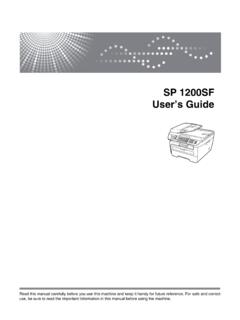
SP 1200SF User’s Guide - Ricoh
support.ricoh.comSP 1200SF User’s Guide Read this manual carefully before you use this machine and keep it handy for future reference. For safe and correct use, be sure to read the Important Information in this manual before using the machine.
Related documents
Xerox® WorkCentre® 3335/3345 Multifunction Printer
download.support.xerox.com1. Connect your printer to a network with an Ethernet cable. 2. Confirm that your network recognizes your printer. By default, the printer receives an IP address

Guía de usuario Guía de la máquina - support.ricoh.com
support.ricoh.comPara un uso seguro y correcto, lea "Información de seguridad" antes de utilizar la máquina. Apéndice Detección de errores Mantenimiento de la máquina

CLASS C MOTORHOMES - Coachmen RV
www.coachmenrv.comCONCORD CLASS C MOTORHOMES At Coachmen, we pride ourselves in providing you with an RV that offers the most standard feature content on the market, allowing you to fully im-

FUJITSU TWAIN 32 Scanner Driver
www.fujitsu.comFUJITSU TWAIN 32 Scanner Driver Scanner Utility for Microsoft® Windows® Version 9.21 User's Guide For Use with Microsoft® Windows® 2000, Windows® XP, Windows Server® 2003, and Windows Vista® P3PC-1962-07ENZ0
TWAIN Driver - Fujitsu
www.fujitsu.comi Introduction Thank you for purchasing the "Scanner Utility for Microsoft® Windows®". This software contains a TWAIN-compliant image scanner driver (simply called "driver" in this guide)

LASERJET PRO CM1415FNW - hp.com
www.hp.comLASERJET PRO CM1415FNW COLOR MULTIFUNCTION PRINTER Use a color touchscreen to print, copy, scan—in color—and fax. Connect this MFP to a wired