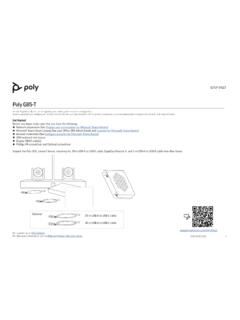
Poly G85-T Setup Sheet - Polycom Support
cable and to the EagleEye Director II using a 3.5 mm audio cable. Connect a microphone and speaker system to the Poly-supported DSP. The A/V integrator must route the far end audio to the EagleEye Director II. Refer to the cabling diagrams on pages 4 and 6. Connect the Lenovo PC to Ethernet. Connect the keyboard and mouse to the Lenovo device.
Download Poly G85-T Setup Sheet - Polycom Support

Information
Domain:
Source:
Link to this page:
Documents from same domain

Polycom VVX 300 and 310 Business Media Phones …
support.polycom.comPolycom, Inc. 6 About This Guide This guide uses a number of conventions that help you to understand information and perform tasks. Conventions Used in this Guide
Web Configuration Utility User Guide - Polycom …
support.polycom.comPolycom Web Configuration Utility User Guide Polycom, Inc. 6 Typographic Conventions Convention Description Bold Highlights interface items such as menus, soft keys, file names, and

Connecting Polycom VVX Business Media Phones …
support.polycom.comPolycom, Inc. 1 Connecting Polycom® VVX® Business Media Phones with Better Together over Ethernet Feature Profile 87907 Microsoft® Lync™ Better Together over Ethernet (BToE) feature on Polycom® VVX® business media
Using the Software Upgrade Tool in the ... - …
support.polycom.comFeature Profile 67993 Using the Software Upgrade Tool in the Web Configuration Utility September 2011 | 1725-47119-001 RevA1 1 The Software Upgrade tool built into the Polycom Web Configuration Utility enables administrators to

Polycom RealPresence Trio Solution User Guide
support.polycom.comUSER GUIDE UC Software 5.4.4 | December 2016 | 3725-20598-003A Polycom® RealPresence Trio™ Solution Applies to Polycom® RealPresence Trio™ 8800 and Polycom® RealPresence Trio™ Visual+
FP 37477: Using Headsets with Polycom Phones
support.polycom.comUsing Headsets with Polycom® Phones: Feature Profile 37477 3 compatible with a number of different headset types, including analog, USB, electronic hookswitch (EHS), and Bluetooth headsets.
FP 37477: Using Headsets with Polycom Phones
support.polycom.comPolycom VVX® 300/310, 400/410 running Polycom® UC software 4.1.4 or later This feature profile includes the following major sections: Phone Interface Types, Cables, and Adapters Lists Polycom phone interface types and ... Plantronics Voyager Pro UC VVX 500, 600 None
Polycom Installed Voice
support.polycom.com8 GAIN STRUCTURE FOR LINE INPUT SOURCES Once the external devices have been wired to the Vortex Device, the Input and/or Output gain of the Vortex Device needs to be set to match the nominal level of the external devices.

Polycom Interoperability with BlueJeans Solution Guide
support.polycom.comsoftware, and partner solutions topics. Polycom, Inc. 3. Audience, Purpose, and Required Skills. This guide is designed to assist an IT administrator configure Polycom endpoints to join BlueJeans meetings. This guide is written for a technical audience. You are expected to understand basic

Release Notes - Polycom Unified Communications for Cisco ...
support.polycom.comCisco Products Version Cisco TelePresence Video Communications Server x7.2.2 Cisco C Series TC 6.1.1 Cisco EX Series TC 6.1.1 Cisco SX Series TC 6.1.1 Cisco E20 TE 4.1.1 Cisco TelePresence MCU 4.3 Cisco CTS 3010/1300 1.9.x, 1.10.x Verified Polycom Product Versions Polycom Products Version ...
Related documents
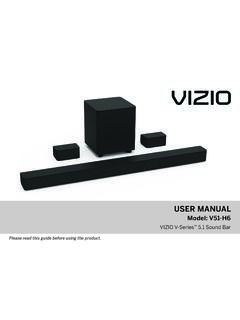
USER U AL MANUAL - Vizio
cdn.vizio.comConnect the surround speakers to the subwoofer using the included surround speaker . 3. audio cables. Cable ties are included to wrap unused cable length. Match the color-coded speaker cable to the matching speaker port color. Blue for left surround and grey is for right surround. First-time Setup. AC IN ON / OFF Surrounds L R
QUIETCOMFORT 35 II - Bose
assets.bose.comBluetooth Low Energy: ... Speaker X O O O O O Cables X O O O O O This table is prepared in accordance with the provisions of SJ/T 11364. O: Indicates that this toxic or hazardous substance contained in all of the homogeneous materials for this part ... Bose® QuietComfort® 35 wireless headphones II Carry case USB cable 3.5 mm audio cable Note ...
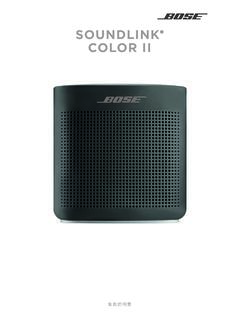
SOUNDLINK COLOR II - Bose
assets.bose.comするには、Bluetoothソース機器とペアリングします。 *本製品はBluetooth® 接続にネットワークスタンバイ. モードを使用しません。また、 Wi-Fi®やEthernet経由 でネットワーク構成を行うことはできません。
E490/E495/E490s/R490/S3–490 User Guide - Lenovo
download.lenovo.comLeft 1. USB-C™ connector (USB 3.1 Gen 1) • Charge your computer. • Charge USB-C compatible devices with the output voltage and current of 5 V and 3 …
SENARAI PERALATAN DAN PERKHIDMATAN DI BAWAH …
ppii.uitm.edu.myii. In-door/ outdoor sound reinforcement system iii. Permanent installation audio system iv. Conference system c) Broadcast equipment - semua sistem audio satu (1) hala untuk tujuan penyiaran seperti audio signal processor dan audio mixer. d) AV control system - semua jenis sistem kawalan dan pemprosesan audio visual. e) Televisyen - semua jenis

User Guide - AT&T
www.att.comSpeaker lets you hear the different ringtones and sounds. The speaker also lets you hear the caller’s voice in speakerphone mode. Headset Jack allows you to plug in an optional headset for convenient, hands-free conversations. USB/Charging port allows you to connect the phone and the USB cable for use

APX 4500 Single-Band P25 Mobile Radio - Motorola
www.motorolasolutions.comIntegrated Bluetooth provides wireless communication with Commercial off the shelf (COTS) Bluetooth accessories. ... display and a built-in 7.5 watt speaker provides clear visual and audible user experiences. Available in high impact green or black. ... Low Pressure 500.1 I 500.2 II 500.3 II 500.4 I/II 500.6 II 500.6 II High Temperature ...
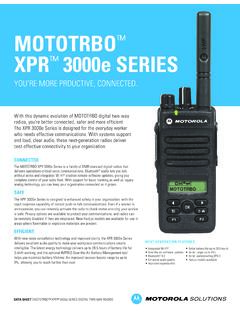
MOTOTRBO™ XPR 3000e Series - Motorola
www.motorolasolutions.comBluetooth ® audio lets you ... • Switch Speaker CUSTOMIZATION Wide range of Accessories Slim GCAI Connector 4 Programmable Buttons (LKP) ... Humidity 507.1 II 507.2 II/Hot-Humid 507.3 II/Hot-Humid 507.4 - 507.5 II/Hot-Humid Salt Fog 509.1 I 509.2 I 509.3 I 509.4 - 509.5 - Dust 510.1 I, II 510.2 I, II 510.3 I, II 510.4 I, II 510.5 I, II ...