
Poly VideoOS Software
Poly Partner Mode Administrator Guide for more information. Some notes on software updates: • If you use Zoom Rooms as your primary conferencing application, Poly recommends regularly updating your system in the Zoom Admin Portal. • Poly supports automatic software updates from the last major software release (3.7.0). If you
Download Poly VideoOS Software

Information
Domain:
Source:
Link to this page:
Documents from same domain

Polycom VVX 300 and 310 Business Media Phones …
support.polycom.comPolycom, Inc. 6 About This Guide This guide uses a number of conventions that help you to understand information and perform tasks. Conventions Used in this Guide
Web Configuration Utility User Guide - Polycom …
support.polycom.comPolycom Web Configuration Utility User Guide Polycom, Inc. 6 Typographic Conventions Convention Description Bold Highlights interface items such as menus, soft keys, file names, and
Connecting Polycom VVX Business Media Phones …
support.polycom.comPolycom, Inc. 1 Connecting Polycom® VVX® Business Media Phones with Better Together over Ethernet Feature Profile 87907 Microsoft® Lync™ Better Together over Ethernet (BToE) feature on Polycom® VVX® business media
Using the Software Upgrade Tool in the ... - …
support.polycom.comFeature Profile 67993 Using the Software Upgrade Tool in the Web Configuration Utility September 2011 | 1725-47119-001 RevA1 1 The Software Upgrade tool built into the Polycom Web Configuration Utility enables administrators to

Polycom RealPresence Trio Solution User Guide
support.polycom.comUSER GUIDE UC Software 5.4.4 | December 2016 | 3725-20598-003A Polycom® RealPresence Trio™ Solution Applies to Polycom® RealPresence Trio™ 8800 and Polycom® RealPresence Trio™ Visual+
FP 37477: Using Headsets with Polycom Phones
support.polycom.comUsing Headsets with Polycom® Phones: Feature Profile 37477 3 compatible with a number of different headset types, including analog, USB, electronic hookswitch (EHS), and Bluetooth headsets.
FP 37477: Using Headsets with Polycom Phones
support.polycom.comPolycom VVX® 300/310, 400/410 running Polycom® UC software 4.1.4 or later This feature profile includes the following major sections: Phone Interface Types, Cables, and Adapters Lists Polycom phone interface types and ... Plantronics Voyager Pro UC VVX 500, 600 None

Polycom Installed Voice
support.polycom.com8 GAIN STRUCTURE FOR LINE INPUT SOURCES Once the external devices have been wired to the Vortex Device, the Input and/or Output gain of the Vortex Device needs to be set to match the nominal level of the external devices.

Polycom Interoperability with BlueJeans Solution Guide
support.polycom.comsoftware, and partner solutions topics. Polycom, Inc. 3. Audience, Purpose, and Required Skills. This guide is designed to assist an IT administrator configure Polycom endpoints to join BlueJeans meetings. This guide is written for a technical audience. You are expected to understand basic

Release Notes - Polycom Unified Communications for Cisco ...
support.polycom.comCisco Products Version Cisco TelePresence Video Communications Server x7.2.2 Cisco C Series TC 6.1.1 Cisco EX Series TC 6.1.1 Cisco SX Series TC 6.1.1 Cisco E20 TE 4.1.1 Cisco TelePresence MCU 4.3 Cisco CTS 3010/1300 1.9.x, 1.10.x Verified Polycom Product Versions Polycom Products Version ...
Related documents

OPERATING INSTRUCTIONS SECURITY SYSTEM
www.wedophones.comThe switching procedure is The result AUTO MODE Completed Beep twice MANUAL MODE Not completed No beep System Controls Turn the ignition key to the OFF position. Remove the key from the ignition switch. Arming Mode (AUTO MANUAL) This section explains how to switch the arming mode from AUTO to MANUAL. Open a door and close it. (The EXIT delay ...
Phase-Shifted Full Bridge DC/DC Power Converter Design Guide
www.ti.comwww.ti.com Introduction 1 Introduction Phase shifted full bridge (PSFB) DC-DC converters are used frequently to step down high DC bus voltages and/or provide isolation in medium to high power applications like server power supplies, telecom

Automatic Transfer Switch (ATS) Generator Transfer Switch ...
interprovincial.com(automatic or manual) so that the operator may safely disconnect the UPS from line or genera-tor power for easy removal and servicing. In bypass mode, the loads are directly connected to the line or generator power without any conditioning. The ATS and/or GTS allow the use of 3 different back-up sources (line, batteries and/or generator).

One Talk T41S IP ser guide desk phone user guide
ss7.vzw.commode after a period of inactivity. You can also turn off the backlight completely when inactive. To set backlight levels and duration of inactivity before switching to low light or turning the backlight off: 1. From Display settings, scroll to Backlight and press to select 2. Scroll to Backlight Active Time and select one of the
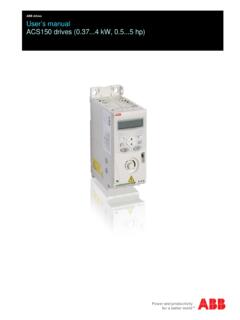
ABB drives User’s manual ACS150 drives (0.374 kW, 0.55 hp)
library.e.abb.comList of related manuals You can find manuals and other product documents in PDF format on the Internet. See section Document library on the Internet on the inside of the back cover. For manuals not available in the Document library,

OWNER S MANUAL WASHING MACHINE - LG Electronics
www.lg.comAutomatic Washing Machine. Please read your owner’s manual carefully, it provides instruction on safe ... different actions depending on the wash program selected. ... switching off the circuit breaker before attempting any maintenance or cleaning.

TI-30XS MultiView™ and TI-30XB MultiView™ Scientific ...
tech.aph.orgnumber can result in different behavior. Entering a number before pressing q makes that number the numerator. To enter fractions with operators or radicals, press q before you enter a number (in MathPrint™ mode only). In MathPrint mode, press $ between the entry of the numerator and the denominator. In Classic mode, press q between the entry ...

Thyristor Theory and Design Considerations
edisciplinas.usp.brdifferent ways, including directly from transistors or logic families, power control integrated circuits, by optoisolated triac drivers, programmable unijunction transistors (PUTs) and SIDACs. These and other design considerations are covered in this manual. Of interest too, is a new line of Thyristor Surge

INSTRUCTION MANUAL AND WARRANTY
cdn.invictawatch.comPLEASE NOTE . Setting the date too quickly in quick mode can result in the incorrect date being displayed. Switching the date between 01 and 31 restores the synchronization. WATCHES WITH ALARM Setting the Alarm 1. Press the push-button for at least 2 seconds. Until the small minute hand jumps forward one minute and setting mode is activated.

WIRELESS, SENSING & TIMING DATASHEET
cdn-shop.adafruit.comSX1276/77/78/79 Page 1 www.semtech.com WIRELESS, SENSING & TIMING DATASHEET SX1276/77/78/79 - 137 MHz to 1020 MHz Low Power Long Range Transceiver Rev. 4 - …