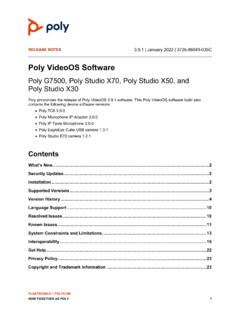
Poly VideoOS Software
• Configuring HDMI Input as a People Source • 3.5 mm Audio Output on Studio X50 • TC8 Web Proxy Enhancements • Updating TC8 Software Using a USB Flash Drive • Automatic Software Updates • Default Logging Level • Provisioning Your System with Poly Lens • Device Mode Provisioning Parameter 3.1.3 . July 2020
Download Poly VideoOS Software

Information
Domain:
Source:
Link to this page:
Documents from same domain
Polycom VVX 300 and 310 Business Media Phones …
support.polycom.comPolycom, Inc. 6 About This Guide This guide uses a number of conventions that help you to understand information and perform tasks. Conventions Used in this Guide
Web Configuration Utility User Guide - Polycom …
support.polycom.comPolycom Web Configuration Utility User Guide Polycom, Inc. 6 Typographic Conventions Convention Description Bold Highlights interface items such as menus, soft keys, file names, and

Connecting Polycom VVX Business Media Phones …
support.polycom.comPolycom, Inc. 1 Connecting Polycom® VVX® Business Media Phones with Better Together over Ethernet Feature Profile 87907 Microsoft® Lync™ Better Together over Ethernet (BToE) feature on Polycom® VVX® business media
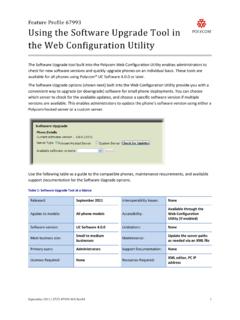
Using the Software Upgrade Tool in the ... - …
support.polycom.comFeature Profile 67993 Using the Software Upgrade Tool in the Web Configuration Utility September 2011 | 1725-47119-001 RevA1 1 The Software Upgrade tool built into the Polycom Web Configuration Utility enables administrators to

Polycom RealPresence Trio Solution User Guide
support.polycom.comUSER GUIDE UC Software 5.4.4 | December 2016 | 3725-20598-003A Polycom® RealPresence Trio™ Solution Applies to Polycom® RealPresence Trio™ 8800 and Polycom® RealPresence Trio™ Visual+
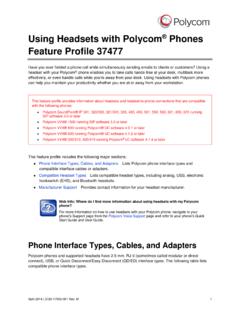
FP 37477: Using Headsets with Polycom Phones
support.polycom.comUsing Headsets with Polycom® Phones: Feature Profile 37477 3 compatible with a number of different headset types, including analog, USB, electronic hookswitch (EHS), and Bluetooth headsets.
FP 37477: Using Headsets with Polycom Phones
support.polycom.comPolycom VVX® 300/310, 400/410 running Polycom® UC software 4.1.4 or later This feature profile includes the following major sections: Phone Interface Types, Cables, and Adapters Lists Polycom phone interface types and ... Plantronics Voyager Pro UC VVX 500, 600 None

Polycom Installed Voice
support.polycom.com8 GAIN STRUCTURE FOR LINE INPUT SOURCES Once the external devices have been wired to the Vortex Device, the Input and/or Output gain of the Vortex Device needs to be set to match the nominal level of the external devices.

Polycom Interoperability with BlueJeans Solution Guide
support.polycom.comsoftware, and partner solutions topics. Polycom, Inc. 3. Audience, Purpose, and Required Skills. This guide is designed to assist an IT administrator configure Polycom endpoints to join BlueJeans meetings. This guide is written for a technical audience. You are expected to understand basic

Release Notes - Polycom Unified Communications for Cisco ...
support.polycom.comCisco Products Version Cisco TelePresence Video Communications Server x7.2.2 Cisco C Series TC 6.1.1 Cisco EX Series TC 6.1.1 Cisco SX Series TC 6.1.1 Cisco E20 TE 4.1.1 Cisco TelePresence MCU 4.3 Cisco CTS 3010/1300 1.9.x, 1.10.x Verified Polycom Product Versions Polycom Products Version ...
Related documents

Digium IP Phone User Guide - Sangoma Technologies …
www.sangoma.comThe Digium Phone uses DHCP and LLDP-MED to get IP address and VLAN membership information. If successful, it attempts to find a configuration file. Manual. If not successful, enter the information as described in Setting the Network Information on page7 or as described in Web User Interface Set-tings on page12. 2. Configuring the Phone (two ...

Configuring LLDP - Cisco
www.cisco.comChapter 21 Configuring LLDP Configuring LLDP Beginning in privileged EXEC mode, follow these steps to configure these characteristics: Note Steps 2 through 5 are all optional and can be performed in any order. Use the no form of each of the LLDP commands to return to the default setting. This example shows how to configure LLDP characteristics.

Dell Networking S3100 series
i.dell.com802.1AB LLDP 802.1D Bridging, STP 802.1p L2 Prioritization 802.1Q VLAN Tagging, Double VLAN Tagging, GVRP 802.1Qbb PFC 802.1Qaz ETS 802.1s MSTP 802.1w RSTP 802.1x Network Access Control 802.1x-2010 Port Based Network Access DefinitionsControl 802.3ab Gigabit Ethernet (1000BASE-T) 802.3ac Frame Extensions for VLAN
GS716Tv3, GS724Tv4, and GS748Tv5 Smart Switches - …
www.downloads.netgear.com350 East Plumeria Drive San Jose, CA 95134 USA September 2013 202-11263-01 GS716Tv3, GS724Tv4, and GS748Tv5 Smart Switches Software Administration Manual
Grandstream Networks, Inc.
www.grandstream.comThe Link Layer Discovery Protocol (LLDP) is a Layer 2 discovery protocol defined in the IEEE 802.1ab. ... Configuring LLDP via Configuration File For GXP21xx color, GXP17xx, GXP16xx, GXV32xx, DP750, GXW42xx, GVC32xx and GAC2500 series, administrator can edit following P …

Cisco 220 Series Smart Switches Administration Guide
www.cisco.comConfiguring SNMP Engine ID 276 Configuring SNMP Views 278 Configuring SNMP Groups 279 Managing SNMP Users 280 Configuring SNMP Communities 282 Configuring SNMP Notification Recipients 283 Configuring SNMPv1,2 Notification Recipients 284 Configuring SNMPv3 Notification Recipients 285 Appendix A: Where to Go From Here 287

Aruba Instant On 1930 Switch Series Management and ...
www.arubanetworks.com• IEEE 802.1AB: Link Layer Discovery Protocol (LLDP and LLDP-MED) • Trunk (LAG) support o LAGs: up to 16 LAGs with up to 8 active port members o IEEE 802.3ad: Link aggregation (LACP). Up to 16 candidate ports. o Static Trunks

Virtual LANs (VLANs) - Allied Telesis
www.alliedtelesis.comThen, we look at combining private VLANs with other features, such as: EPSR, ARP, LLDP, GVRP, Link aggregation, and management servers. The guide ends with a section on configuring protocol based VLANs and then describes how data counters are used to count both the number of received frames or the number of received bytes (octets)

Mellanox Onyx User Manual - Mellanox Technologies
network.nvidia.comDoc #: MLNX-15-1388-ETH Mellanox Technologies 3. Mellanox Technologies 350 Oakmead Parkway Suite 100 Sunnyvale, CA 94085 U.S.A. www.mellanox.com Tel: (408) 970-3400