
Polycom OBi302 Installation and Configuration Guide
2. Connect one end of the Ethernet cable to the blue INTERNET port and the other end to an Ethernet port on your router, broadband modem, or Ethernet switch. 3. Connect the power adapter to the OBI device power jack and a power outlet. 5mm (3/16 in.) Length: 15mm
Download Polycom OBi302 Installation and Configuration Guide

Information
Domain:
Source:
Link to this page:
Documents from same domain

Polycom VVX 300 and 310 Business Media Phones …
support.polycom.comPolycom, Inc. 6 About This Guide This guide uses a number of conventions that help you to understand information and perform tasks. Conventions Used in this Guide
Web Configuration Utility User Guide - Polycom …
support.polycom.comPolycom Web Configuration Utility User Guide Polycom, Inc. 6 Typographic Conventions Convention Description Bold Highlights interface items such as menus, soft keys, file names, and
Connecting Polycom VVX Business Media Phones …
support.polycom.comPolycom, Inc. 1 Connecting Polycom® VVX® Business Media Phones with Better Together over Ethernet Feature Profile 87907 Microsoft® Lync™ Better Together over Ethernet (BToE) feature on Polycom® VVX® business media
Using the Software Upgrade Tool in the ... - …
support.polycom.comFeature Profile 67993 Using the Software Upgrade Tool in the Web Configuration Utility September 2011 | 1725-47119-001 RevA1 1 The Software Upgrade tool built into the Polycom Web Configuration Utility enables administrators to

Polycom RealPresence Trio Solution User Guide
support.polycom.comUSER GUIDE UC Software 5.4.4 | December 2016 | 3725-20598-003A Polycom® RealPresence Trio™ Solution Applies to Polycom® RealPresence Trio™ 8800 and Polycom® RealPresence Trio™ Visual+
FP 37477: Using Headsets with Polycom Phones
support.polycom.comUsing Headsets with Polycom® Phones: Feature Profile 37477 3 compatible with a number of different headset types, including analog, USB, electronic hookswitch (EHS), and Bluetooth headsets.
FP 37477: Using Headsets with Polycom Phones
support.polycom.comPolycom VVX® 300/310, 400/410 running Polycom® UC software 4.1.4 or later This feature profile includes the following major sections: Phone Interface Types, Cables, and Adapters Lists Polycom phone interface types and ... Plantronics Voyager Pro UC VVX 500, 600 None

Polycom Installed Voice
support.polycom.com8 GAIN STRUCTURE FOR LINE INPUT SOURCES Once the external devices have been wired to the Vortex Device, the Input and/or Output gain of the Vortex Device needs to be set to match the nominal level of the external devices.

Polycom Interoperability with BlueJeans Solution Guide
support.polycom.comsoftware, and partner solutions topics. Polycom, Inc. 3. Audience, Purpose, and Required Skills. This guide is designed to assist an IT administrator configure Polycom endpoints to join BlueJeans meetings. This guide is written for a technical audience. You are expected to understand basic

Release Notes - Polycom Unified Communications for Cisco ...
support.polycom.comCisco Products Version Cisco TelePresence Video Communications Server x7.2.2 Cisco C Series TC 6.1.1 Cisco EX Series TC 6.1.1 Cisco SX Series TC 6.1.1 Cisco E20 TE 4.1.1 Cisco TelePresence MCU 4.3 Cisco CTS 3010/1300 1.9.x, 1.10.x Verified Polycom Product Versions Polycom Products Version ...
Related documents

Setting Up Spectrum Voice Service
activate.spectrum.netSetting Up Spectrum Voice Service Connect the modem to your phone Connect one end of the phone cord to your phone and the other end to port 1 on the modem. Connect the coax cable 3 Connect one end of the coax cable to the cable wall outlet and the other end to the modem. 1 a a Connect the power cord Plug the power cord into the modem, then plug the
TM - Electro-Voice
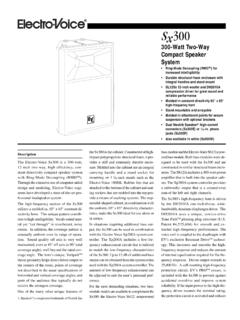
products.electrovoice.comPower-Handling Capacity To our knowledge, Electro-Voice was the first U.S. manufacturer to develop and pub-lish a power test closely related to real-life conditions. First, we use a random-noise in-put signal because it contains many frequen-cies simultaneously, just like real voice or instrument program. Second, our signal con-

Alcatel BLU Google
www.att.comDec 15, 2021 · • G8 Power (XT2041-1) • G8 Plus (XT2019-2) • G7 (XT1962-1) • G7 Play (XT1952-4) • G7 Plus (XT1965 T) • G7 Power (XT1955 5) • Z4 (XT1980-3) HD Voice • G Stylus 5G (XT2131-1, XT2131DL) • G 5G • Razr 5G (XT2071-3) • One 5G Ace (XT2113-2) 1 HD Voice, 5G LG Model Network service • G7 ThinQ Unlocked • V35 Unlocked HD Voice ...

Digital Voice Adapter - BT
www.bt.comof Conformity and Power Efficiency information Hereby, British Telecommunications plc declares that the radio equipment type Digital Voice Adapter (Item code 100121, Model no. X16-G90) is in compliance with Directive 2014/53/EU. You’ll find the full text of the EU declaration of conformity and power efficiency information

Research report Part 1 – Thematic literature review - CIPD
www.cipd.co.uk‘Power’ and ‘influence’ are not simple concepts to pin down, with various interpretations dependent upon context, level and resource allocation. Weber (1947, p152) contextualised power as the ‘probability that one actor within a social relationship will be in a position to carry out his will despite resistance’.

Power Through Prayer - HopeFaithPrayer
www.hopefaithprayer.comPower through Prayer has been called "one of the truly great masterpieces on the theme of prayer." The term classic can ... The preaching is but a voice. The voice in silence dies, the text is forgotten, the sermon fades from memory; the preacher lives.
Fios TV One setup instructions for Ethernet - Verizon
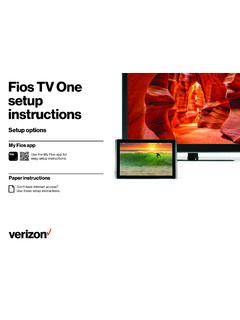
www.verizon.comC. Connect the power cord from the Fios TV One to an electrical outlet. Step 2: Fios TV One Back of TV Optional: use a splitter to connect a Fios TV One and router to the same coax outlet. Model 4100 Step 2B: Complete activation and remote setup Turn on your television and Fios TV One. Using the Fios TV Voice Remote, follow
Remote with Voice Control - Xfinity
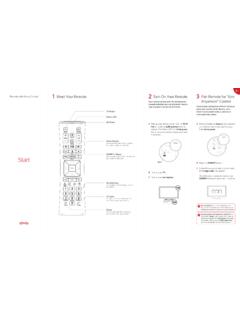
www.xfinity.comPress and hold the Voice button until you hear the audio tone. Speak a voice command to the remote while continuing to hold down the button. Try one of the suggestions below. The Status LED will be solid blue while you speak your command. Release the Voice button when your command is complete. Look at the TV for the results of your voice command.