
Ronin-SC Camera Compatibility List
camera’s settings. 3. After connecting with a Sony camera using the ① cable, if you need to swap to a camera of other manufacturers then a gimbal reboot is required. When using ②+ ③ cables: 1. Set the camera to MF mode. 2. Select "Network" and then turn off "Smartphone". 3. Set the USB Connection to PC remote. 4.
Download Ronin-SC Camera Compatibility List

Information
Domain:
Source:
Link to this page:
Documents from same domain

NAZA-M LITE - dl.djicdn.com
dl.djicdn.com©2014 DJI. All Rights Reserved. NAZA-M LITE User Manual V 2.00 2014.04.21 Revision For Firmware Version V1.00 & Assistant Software Version V1.00

Manuel de l'utilisateur - DJI
dl.djicdn.comLisez le manuel utilisateur et les consignes de sécurité relatives à la batterie intelligente avant toute utilisation. L'utilisateur assume l'entière responsabilité de ses actions et de son utilisation
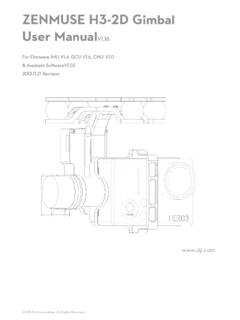
ZENMUSE H3-2D Gimbal User ManualV1 - …
dl.djicdn.com©2013 DJI Innovations. All Rights Reserved. 2 Warning & Disclaimer No adjusting or amending is allowed to the H3-2D!!!

PHANTOM - DJI
dl.djicdn.com©2013 DJI Innovations. All Rights Reserved. 1 | PHANTOM Manuel Avancé V 1.4 2013.03.22 Révision

OSMO MOBILE 2 - dl.djicdn.com
dl.djicdn.com© 2018 DJI All Rights Reserved. 5 * 最大稼働時間は、ジンバルのバランスが取れており、 安定した状態でテストした値です。この ...

User Manual V1 - dl.djicdn.com
dl.djicdn.comUser Manual Make sure all of the parts listed in the In the Box document are included in the package. The information in the Safety Guidelines and Disclaimer document affects your safety and your legal rights and responsibilities. Read this entire document carefully to ensure proper configuration

Tuned Propulsion System - dl.djicdn.com
dl.djicdn.comE5000 PRO Tuned Propulsion System 多旋翼动力系统 V1.0 2016.12 User Manual 用户手册

RONIN 2 User Manual - dl.djicdn.com
dl.djicdn.comRonin 2 User Manual Ronin 2 Intelligent Battery Safety Guidelines Ronin 2 Disclaimer and Safety Guidelines Check all of the included parts listed in the In the Box manual. Read this entire User Manual and watch the informational and tutorial videos on the product page of DJI’s

Quick Start Guide - dl.djicdn.com
dl.djicdn.comthe DJI GO 4 app on your mobile device at up to 1080p. An on-board LCD screen gives real- time aircraft data information and the detachable control sticks make the remote controller

PHANTOM 2 VISION - dl.djicdn.com
dl.djicdn.comBe sure to watch your fight distance as the PHANTOM 2 VISION will enter Failsafe mode (auto-landing or go home and land) if it flies beyond this range. FCC compliant devices have an effective range of 500 meters in open spaces.
Related documents
Quick Start Guide - A Global Provider of Security Camera ...
www.zmodo.comThe camera is connecting to the WiFi network. Please do NOT turn off or unplug your camera at this time. Blinking green The camera is ready for setup. The camera is powering on. Solid green The camera has successfully connected to the WiFi network. Solid blue If you were unable to connect your camera successfully:
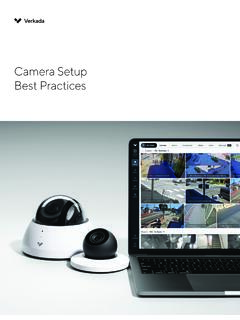
Camera Setup Best Practices - Verkada
docs.verkada.comis no support for static addressing, as this will entail connecting directly to the camera and setting it up, a behavior not allowed for security reasons. If there is a requirement to have fixed IP addresses, this can be done on the DHCP server using DHCP reservations, a process of matching a reserved IP address with a camera’s MAC address.

Camera User Guide - gdlp01.c-wss.com
gdlp01.c-wss.comCamera Basics Auto Mode / Hybrid Auto Mode Other Shooting Modes P Mode Playback Mode Wi-Fi Functions Setting Menu Accessories Appendix Index Initial Information Package Contents Before use, make sure the following items are included in the package. If anything is missing, contact your camera retailer. Camera Battery Pack NB-11LH* Battery ...

WiFi Camera (V380) Installation Manual iPhone IOS Android
images-na.ssl-images-amazon.comCamera sound: “WiFi Connecting” Camera sound: “WiFi Connected” 11. On your phone, go to Settings -> WLAN and connect to your WiFi network. Reopen the V380 app and click “Device List” at the bottom. You should see the camera on the device list.

Marine Camera Integration Guide - Garmin
static.garmin.comEthernet equipment to a Garmin Marine Network. Such equipment includes a network camera, network switch, video encoder, or PoE injector. A shielded cable, such as a CAT 5e F/FTP, offers the best protection for your equipment. Connecting a PoE device directly to a Garmin Marine Network chartplotter damages the Garmin
Connecting to a Musical Instrument - Casio
web.casio.comConnecting via Bluetooth No cables are required Available functions Y Audio Player Lets you play along to music on your smart device. * Only supported on the PX-S1000/3000. * Use the standard USB - 3.5 mm headphone jack adapter for your smart device. Some adapters may not work. * Some iPhone models are not bundled with a Lightning - 3.5 mm ...
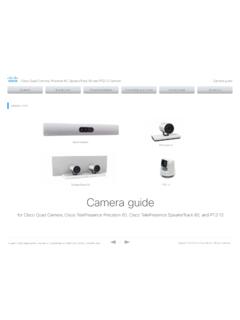
OCTOBER 2021 Precision 60 SpeakerTrack 60 Camera guide
www.cisco.comCisco Quad Camera, Precision 60, SpeakerTrack 60, PTZ-12, and PTZ 4K Camera D15296.14 Cisco Quad Camera, Precision 60, SpeakerTrack …

Digital Camera Model No. DC-GX9 - Panasonic
www.panasonic.comConnecting the camera to a smartphone that does not support for Bluetooth Low Energy.....260 Controlling with a Smartphone..... 264 Turning on/off the camera using a smartphone..... 264 Operating the shutter button of the camera using a smartphone