User's Guide - L3110
L3110 User's Guide. 3 Contents ... • Load paper short edge first, no matter which way your document faces. • Load letterhead or pre-printed paper top edge first. • Do not load paper above the arrow mark inside the edge guide. • If you have trouble loading a stack of envelopes, press each envelope flat before loading it or load one ...
Download User's Guide - L3110

Information
Domain:
Source:
Link to this page:
Documents from same domain

User's Guide - XP-410 - Epson
files.support.epson.comChanging or Updating Network Connections ..... 34 Accessing the Web Config Utility..... 35

WF-2630 User's Guide - Epson
files.support.epson.comUsing WPS to Connect to a Network..... 35 Printing a Network Status Sheet..... 36

Manual del usuario L575 - files.support.epson.com
files.support.epson.com3 Contenido Manual del usuario L575..... 13

Manual del usuario de la L555 - …
files.support.epson.comCómo escanear utilizando el panel de control del producto..... 74 Cómo cambiar los ajustes predeterminados de los botones de escaneo ..... 75

User's Guide - WF-100 - Epson
files.support.epson.comWF-100 User's Guide Welcome to the WF-100 User's Guide. For a printable PDF copy of this guide, click here. 9. Product Basics

User Manual - PowerLite S18+/W15+/W18+/X24+
files.support.epson.comCorrección de la forma de la imagen con los botones de corrección trapezoidal ..... 72 Corrección de la forma de la imagen con Quick Corner ..... 74

2 Guía de instalación OK - files.support.epson.com
files.support.epson.com2 Introduzca el CD del producto o descargue y ejecute el paquete de software del producto: global.latin.epson.com/Soporte/L575 3 …

Manual do usuário - files.support.epson.com
files.support.epson.com2 L Todos os direitos reservados. Nenhuma parte desta publicação pode ser reproduzida, armazenada em sistemas de recuperação ou transmitida de alguma forma ou meio

XP-310 User's Guide - Epson
files.support.epson.comAvailable EPSON Papers ... XP-310 User's Guide Welcome to the XP-310 User's Guide. For a printable PDF copy of this guide, click here. 11. Product Basics

User's Guide - WF-7610/WF-7620 - Epson
files.support.epson.comAvailable Epson Papers ... Welcome to the WF-7610/WF-7620 User's Guide. For a printable PDF copy of this guide, click here. 13. Product Basics
Related documents
Amazfit Bip U Pro User Guide
amazfit-support.cdn.bcebos.comfaces. The watch faces in gray are available to choose. Tap to select one. The watch provides several watch faces by default. You can also go to the store in the Zepp app to synchronize online watch faces to the watch, or set a picture on the …

L220 User's Guide - files.support.epson.com
files.support.epson.com6. Slide the edge guide against the paper, but not too tightly. 7. Flip the feeder guard back. Always follow these paper loading guidelines: • Load only the recommended number of sheets. • Load paper short edge first, no matter which way your photo faces. • Do not load paper above the arrow mark inside the edge guide.
Creo Elements/Direct Drafting User's Guide: Classic User ...
support.ptc.comCreo Elements/Direct Drafting User's Guide: Classic User Interface Creo Elements/Direct Drafting 20.1

MITEL 5330 IP and 5340 IP Phones User Guide
www.csc.eduTurn the phone so that the front faces away from you. 2. Hold the base unit firmly and press the release tabs on the sides of the stand to detach the base unit. 3. Hinge the hooks of the base unit into the notches on the back of the phone and snap into ... 5330/5340 IP Phones – User Guide ...
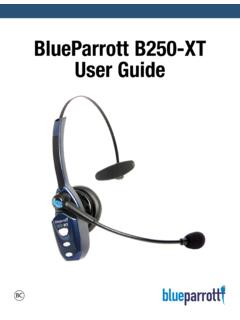
BlueParrott B250-XT User Guide - Jabra
www.jabra.comBlueParrott B250-XT User Guide PAGE 2 ... (“TALK” side faces towards mouth) OPTIONAL ACCESSORIES A E B D C. BlueParrott B250-XT User Guide PAGE 6 CHARGING THE HEADSET BATTERY POWER INDICATORS Connect the USB charging cord to the headset and the other end to a suitable USB charger . The MFB’s indicator
DX Commander Classic 10m Antenna Kit User Guide Version 1
www.m0mcx.co.ukWe have a user guide for the 10M pole which can find the user guide on the m0mcx website under User Guides. Supplied are: • 10m Pole (physical length circa 9.5m), • 100m DX10 Antenna Wire, • Plate set (aluminium and UHMWPE plates) • Bag of nuts/bolts etc. • The 80m kit has an additional 100m DX10 wire for extra radials.

MiVoice 5320e IP Phone User Guide - University of North ...
www.una.eduMiVoice 5320e IP Phone User Guide About Your Phone The Mitel ® 5320e IP Phone is full-feature, dual port, dual mode enterprise-class applications phone that provides voice communication over an IP network. It features a large graphics display (160 x 320) wideband audio and self-labeling keys. The 5320e IP Phone offers seven