Web Configuration Utility User Guide - Polycom
The Web Configuration Utility is available for all Polycom Voice products capable of running Polycom UC software 4.0.0 or later. The Web Configuration Utility enables you to view and configure your phone’s settings and features from your PC using any of the following compatible Web browsers: Microsoft® Internet Explorer 7.0 or later
Download Web Configuration Utility User Guide - Polycom

Information
Domain:
Source:
Link to this page:
Documents from same domain
Polycom VVX 300 and 310 Business Media Phones …
support.polycom.comPolycom, Inc. 6 About This Guide This guide uses a number of conventions that help you to understand information and perform tasks. Conventions Used in this Guide
Web Configuration Utility User Guide - Polycom …
support.polycom.comPolycom Web Configuration Utility User Guide Polycom, Inc. 6 Typographic Conventions Convention Description Bold Highlights interface items such as menus, soft keys, file names, and
Connecting Polycom VVX Business Media Phones …
support.polycom.comPolycom, Inc. 1 Connecting Polycom® VVX® Business Media Phones with Better Together over Ethernet Feature Profile 87907 Microsoft® Lync™ Better Together over Ethernet (BToE) feature on Polycom® VVX® business media
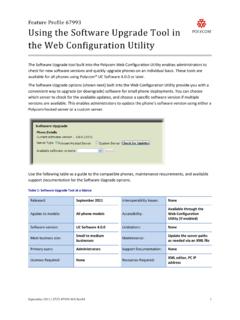
Using the Software Upgrade Tool in the ... - …
support.polycom.comFeature Profile 67993 Using the Software Upgrade Tool in the Web Configuration Utility September 2011 | 1725-47119-001 RevA1 1 The Software Upgrade tool built into the Polycom Web Configuration Utility enables administrators to

Polycom RealPresence Trio Solution User Guide
support.polycom.comUSER GUIDE UC Software 5.4.4 | December 2016 | 3725-20598-003A Polycom® RealPresence Trio™ Solution Applies to Polycom® RealPresence Trio™ 8800 and Polycom® RealPresence Trio™ Visual+
FP 37477: Using Headsets with Polycom Phones
support.polycom.comUsing Headsets with Polycom® Phones: Feature Profile 37477 3 compatible with a number of different headset types, including analog, USB, electronic hookswitch (EHS), and Bluetooth headsets.
FP 37477: Using Headsets with Polycom Phones
support.polycom.comPolycom VVX® 300/310, 400/410 running Polycom® UC software 4.1.4 or later This feature profile includes the following major sections: Phone Interface Types, Cables, and Adapters Lists Polycom phone interface types and ... Plantronics Voyager Pro UC VVX 500, 600 None
Polycom Installed Voice
support.polycom.com8 GAIN STRUCTURE FOR LINE INPUT SOURCES Once the external devices have been wired to the Vortex Device, the Input and/or Output gain of the Vortex Device needs to be set to match the nominal level of the external devices.
Polycom Interoperability with BlueJeans Solution Guide
support.polycom.comsoftware, and partner solutions topics. Polycom, Inc. 3. Audience, Purpose, and Required Skills. This guide is designed to assist an IT administrator configure Polycom endpoints to join BlueJeans meetings. This guide is written for a technical audience. You are expected to understand basic
Release Notes - Polycom Unified Communications for Cisco ...
support.polycom.comCisco Products Version Cisco TelePresence Video Communications Server x7.2.2 Cisco C Series TC 6.1.1 Cisco EX Series TC 6.1.1 Cisco SX Series TC 6.1.1 Cisco E20 TE 4.1.1 Cisco TelePresence MCU 4.3 Cisco CTS 3010/1300 1.9.x, 1.10.x Verified Polycom Product Versions Polycom Products Version ...
Related documents

Aruba 5400R ZL2 Switch Series - Data sheet
www.arubanetworks.comfor different settings such as VLAN, CoS, PoE max power, and PoE priority when an Aruba access point is detected • User Role defines a set of switch-based policies in areas such as security, authentication, and QoS. A user role can be assigned to a group of users or devices, using switch-based local user role or download from ClearPass
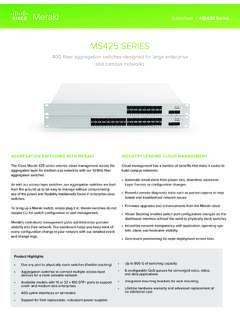
MS425 SERIES - Cisco Meraki
meraki.cisco.com802.1Q VLAN and trunking support for up to 4,094 VLANs 802.1w, 802.1D Rapid Spanning Tree Protocol (RSTP, STP) STP Enhancements: BPDU guard, Root guard, Loop guard, UDLD Broadcast storm control 802.1ab Link Layer Discovery …

DELL EMC POWERSWITCH N3000E SERIES SWITCHES
i.dell.comMax VLAN interfaces with ACLs applied: 24 IEEE compliance 802.1AB LLDP Dell Voice VLAN Dell ISDP (inter-operates with devices running CDP) 802.1D Bridging, Spanning Tree 802.1p Ethernet Priority (User Provisioning and Mapping) Dell Adjustable WRR and Strict Queue Scheduling 802.1Q VLAN Tagging, Double VLAN Tagging, GVRP

Poly CCX Business Media Phones with Microsoft ...
support.polycom.comHD Voice Integrated Bluetooth capabilities Color touch displays Integrated contact list, calendar, and meetings CCX Phone Hardware Overview The following topics describe the hardware features for Poly CCX Business Media Phones. LED Indicators on CCX Series Phones CCX series phone LEDs indicate phone and accessory states.

DGS-1100 Series EasySmart Switch User Manual B1 v1
support.dlink.comAbout This Guide This guide provides by-stepstep -instructions on how install theD-Link DGS-1100 -05/05PD/08/08P Smart Managed Switches, how to use the Web Utility, and how to perform web-based management functions.
Configuring Voice VLAN - Cisco
www.cisco.comThe voice VLAN feature enab les access ports to carry IP voice traffic from an IP phone. When the switch is connected to a Cisco 7960 IP Phone, the phone sends voice traffic with Layer 3 IP precedence and Layer 2 class of service (CoS) values, which are both set to 5 by default. Because the sound quality of
HP ProCurve Switch 5400zl Series
www.hp.comparameters such as QoS and VLAN to automatically configure network devices such as IP phones • RADIUS VLAN for voice: uses standard RADIUS attribute and LLDP-MED to automatically configure VLAN for IP phones • PoE allocations: supports multiple methods (automatic, IEEE 802.3af class, LLDP-MED, or user

Cisco Business 250 Series Smart Switches Data Sheet
www.cisco.comVLAN Support for up to 255 active VLANs simultaneously Port-based and 802.1Q tag-based VLANs Management VLAN Guest VLAN Voice VLAN Voice traffic is automatically assigned to a voice-specific VLAN and treated with appropriate levels of QoS. Voice Services Discovery Protocol (VSDP) delivers networkwide zero-touch
Grandstream Networks, Inc.
www.grandstream.comVLAN Guide Voice VLAN The Voice traffic is sensitive to delay and jitter, thus it requires a higher priority than data traffic to reduce the delay and packet loss during transmission, separating voice and data traffic using VLANs provides a solid security boundary, preventing data applications from reaching the voice traffic. It also gives user a