Windows Authentication - Qualys
Step 1 – Set up a Windows user account to be used by our security service for authentication. Step 2 – Using Qualys: 1) Create Windows authentication records. 2) Select an option profile. For a vulnerability scan be sure to select “Windows” in the Authentication section. 3) Launch a scan.
Download Windows Authentication - Qualys

Information
Domain:
Source:
Link to this page:
Documents from same domain
Qualys API Quick Reference
www.qualys.comQualys API Quick Reference Guide Vulnerability Management and Policy Compliance API 8 Notes: “title” is required for a create request. “ids” is required for an update and delete request. comments={value}&
Scan VMware ESXi Hosts on vCenter User Guide
www.qualys.comScan ESXi hosts on vCenter Get Started Launch scans Now you are ready to launch a scan on your ESXi hosts through vCenter. Launch a scan like any other scan and for your target hosts choose your ESXi assets by selecting IP addresses, asset groups, asset tags. The authenticated scanning occurs for the
Qualys Patch Management Getting Started Guide
www.qualys.comInstalling Cloud Agents on Assets Downloading Installer 9 As you can see, you can provision the same key for any of the other applications in your account. Downloading Installer Click Install instructions next to Windows (.exe) or Linux (.rpm).
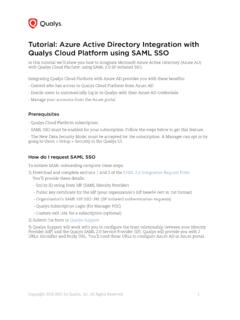
Qualys SAML and Azure Active Directory Integration
www.qualys.comApr 07, 2021 · Tutorial: Azure Active Directory Integration with Qualys Cloud Platform using SAML SSO In this tutorial we’ll show you how to integrate Microsoft Azure Active Directory (Azure AD) with Qualys Cloud Platform using SAML 2.0 SP-initiated SSO. Integrating Qualys Cloud Platform with Azure AD provides you with these benefits:
Web Application Scanning API - Qualys
www.qualys.comNov 12, 2021 · The Qualys Cloud Platform and its integrated Cloud Apps deliver businesses critical security in telligence continuously, enabling them to automate the full spectrum of auditing, compliance and protection for IT systems and web applications on pre mises, on endpoints and elastic clouds. For more information, please visit
Qualys CloudView User Guide
www.qualys.comapplies to EC2/VPC services and Security Group Resource Service A service is the high level grouping by functional area. Each service consists of different entities or resources. Resource A resource is an entity that you can work with. Examples include an Amazon EC2 instance, IAM User, Security Group.
Unix Authentication - Qualys
www.qualys.comJul 28, 2020 · Using Private Keys / Certificates For successful authentication, the user account must be add ed to all target hosts along with the public key, which will be appended to the “.ssh/authorized_keys2” file in the user’s home directory. Our service must have full access to the target hosts during scanning. It ’s possible that
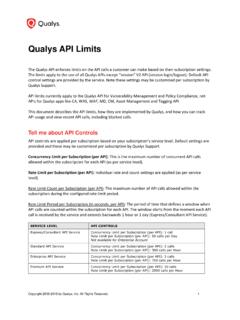
Qualys API Limits
www.qualys.comExample: 300 API calls were received starting April 12 at 2 PM. The first blocked API call was received on April 12 at 2:30 PM. Users could not run API calls for 30 minutes. The next time an API can be received and run is April 12 at 3 PM, assuming there is a maximum of 1 API call instance currently running at that time.
Qualys Gateway Service User Guide
www.qualys.comQualys Gateway Service User Interface Module 8 Qualys Gateway Service User Interface Module Qualys Gateway Service has a user interface module on the Qualys Platform. Customers with purchased or trial accounts see the QGS module in the module picker. Use the QGS UI to create, configure, monitor, disable, and delete QGS appliances deployed
Qualys API (VM, PC) User Guide
www.qualys.comAPIs in this user guide are supported using Qualys Cloud Platform (VM, PC). We recommend you join our Community and su bscribe to our API Notifications RSS Feeds for announcements and discussions. API Conventions Qualys User Account Authentication with valid Qualys user account credentials is required for making Qualys
Related documents

Upgrading to Windows 10 Education - OnTheHub
software.onthehub.comWindows XP, Windows Vista and Mac users: 1. Go to . Microsoft’s ISO Software Download Site. 2. Enter the product key from your Order Details page when prompted to launch the upgrade to Windows 10 Education. Important: Upgrading in this fashion will cause all files, settings and software applications to be deleted
Using Web Services for scanning on your network (Windows ...
download.brother.coma (Windows Vista ®) Click > Network. (Windows® 7) Click > Control Panel > Network and Internet > View network computers and devices. (Windows® 8) Move your mouse to the lower right corner of your desktop. When the menu bar appears, click Settings, click Change PC settings, and then click Devices. b (Windows Vista ® and Windows® 7)

Dell Keyboard-Smartcard USB KB813 - User Guide
downloads.dell.comUpdate the Windows Vista driver 1. With the Smart Card reader connected, the old driver that is built in inside the operating system will be installed automatically. 2. From the Start Menu, open the Control Panel: Back to Contents Page Install the Keyboard | Install the Windows XP driver | Install the Vista driver

Wi-Fi Connection Guide - Fujitsu
www.fujitsu.comWindows Vista ® Enterprise operating system, English Version Windows Vista® Ultimate operating system, English Version Windows XP Windows ® XP Home Edition operating system, English Version Windows® XP Professional operating system, English Version Windows Windows 8.1, Windows 8, Windows 7, Windows Vista, or Windows XP operating system ...

HD Webcam C615 - Logitech
www.logitech.comwww.logitech.com/support/c615 620-005998.002 1 2 USB USB Logitech® Webcam Software www.logitech.com/support/c615 Windows® 8 Windows® 7/Windows Vista®