Transcription of Basic User’s Guide - Brother
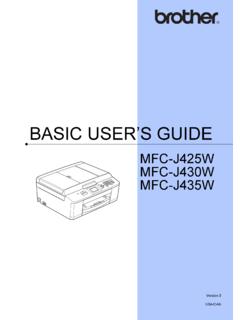
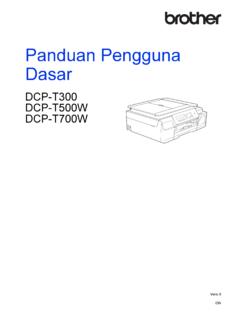
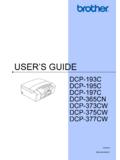
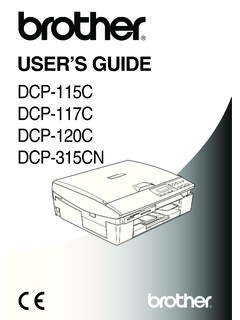
1 Basic user s GuideDCP-J100 DCP-J105 Version 0 ASA/SAFIf you need to contact Customer ServicePlease complete the following information for future reference:Model Number: DCP-J100 and DCP-J105 (Circle your model number)Serial Number:1 Date of Purchase: Place of Purchase: 1 The serial number is on the back of the unit.
2 Retain this user 's Guide with your sales receipt as a permanent record of your purchase, in the event of theft, fire or warranty your product on-line at 2014 Brother Industries, Ltd. All rights 's Guides and where do I find them?1 Network features are not supported by the us at onlyWhich Guide ?What's in it?Where is it?Product Safety GuideRead this Guide first. Please read the Safety Instructions before you set up your machine. See this Guide for trademarks and legal / In the boxQuick Setup GuideFollow the instructions for setting up your machine and installing the drivers and software for the operating system and connection type you are / In the boxBasic user s GuideLearn the Basic Copy and Scan operations, and how to replace consumables.
3 See troubleshooting file / CD-ROMA dvanced user s GuideLearn more advanced operations: Copy, printing reports and performing routine maintenance. PDF file / CD-ROMS oftware and Network user s Guide1 This Guide provides instructions for Scanning, Printing and other operations that can be performed by connecting your Brother machine to a computer. You can also find useful information about using the Brother ControlCenter utility, using your machine in a network environment, and frequently used file/CD-ROMAirPrint Guide3 This Guide provides information for using AirPrint to print from OS X , and your iPhone, iPod touch, iPad.
4 Or other iOS device to your Brother machine without installing a printer file / Brother Solutions Center2 Google Cloud Print Guide3 This Guide provides details on how to use Google Cloud Print services for printing over the file / Brother Solutions Center2 Mobile Print/Scan Guide for Brother iPrint&Scan3 This Guide provides useful information about printing from your mobile device and scanning from your Brother machine to your mobile device when connected to a Wi-Fi file / Brother Solutions Center2iiTable of Contents( Basic user s Guide )1 General information1 Using the documentation.
5 1 Symbols and conventions used in the documentation .. 1 Accessing Brother Utilities (Windows 8) .. 2 Accessing the Advanced user s Guide and Software and Network user s Guide .. 2 Viewing user s Guides ..2 How to access Guides for Advanced 4 Accessing Brother Support (Windows ) .. 5 Accessing Brother Support (Macintosh) .. 5 Control panel overview .. 6 Warning LED indications ..8 LCD display ..8 LCD Contrast .. 82 Loading paper9 Loading paper and other print 9 Loading envelopes .. 12 Unprintable area.
6 14 Paper 15 Paper Type ..15 Paper Size .. 15 Acceptable paper and other print 16 Recommended print media ..16 Handling and using print media .. 16 Choosing the right print 183 Loading documents19 How to load documents .. 19 Using the scanner glass .. 19 Unscannable area ..204 Making copies21 How to copy ..21 Stop copying ..21 Copy settings ..21 Paper to print from a computer23 Printing a document ..23iii6 How to scan to a computer24 Before 24 Scanning a document as a PDF file using ControlCenter4 (Windows ).
7 24 How to change the machine s SCAN mode settings for PDF scanning using ControlCenter4 (Windows ) .. 28 How to scan a document as a PDF file using the control panel (Windows and Macintosh) .. 30 ARoutine maintenance31 Replacing the ink cartridges .. 31 Cleaning and checking the 34 Cleaning the scanner glass .. 34 Cleaning the print head .. 34 Checking the print quality .. 35 Checking the print alignment .. 36 Setting the date and 37 BTroubleshooting38 Identifying your problem .. 38 Error and maintenance 39 Printer jam or paper jam.
8 44If you are having difficulty with your machine .. 52 Machine Information .. 58 Checking the serial number .. 58 Checking the firmware version .. 58 Reset functions .. 58 How to reset the machine .. 58 CSettings and features tables59 Using the Settings tables .. 59 Menu keys .. 59 Menu table .. 61 Entering Text .. 70 Entering numbers, letters and symbols .. 70 Inserting spaces .. 70 Making corrections .. 70ivDSpecifications71 General ..71 Print .. 74 Scanner .. 75 Printer ..76 Interfaces .. 77 Network (DCP-J105).
9 78 Computer requirements .. 79 Consumable items .. 80 EIndex81vTable of Contents(Advanced user s Guide )The Advanced user s Guide explains the following features and can view the Advanced user s Guide on the setupMemory StorageSetting Daylight Saving Time (MFC models only) (Not available in South Africa)Automatic Daylight Saving Time (MFC models only) (For South Africa only)Sleep ModeAuto Power Off (DCP model)LCDMode Timer (MFC models only)2 Security features (MFC models only)TX Lock3 Sending a fax (MFC models only)
10 Additional sending optionsAdditional sending operations4 Receiving a fax (MFC models only)Memory Receive (Monochrome only)Additional receiving operations5 Dialling and storing numbers (MFC models only)Additional dialling operationsAdditional ways to store numbers6 Printing reportsFax reports (MFC models only)Reports7 Making copiesCopy optionsARoutine maintenanceCleaning and checking the machinePacking and shipping the machineBGlossaryCIndexvi111 Using the documentation1 Thank you for buying a Brother machine!