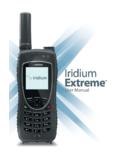
Transcription of Iridium Extreme Data Manual - Direct Internet 3 …
1 Iridium ExtremeTM Satellite Phone data Services Manual Table of Contents 1 OVERVIEW .. 1 2 HOW IT WORKS .. 1 3 BEFORE INSTALLING .. 2 4 USB DRIVER INSTALLATION .. 3 5 MODEM INSTALLATION AND configuration .. 4 Important Considerations .. 4 6 DIALING A CALL .. 5 Before Dialing .. 5 7 data CONNECTION SERVICES .. 6 Direct Internet .. 6 RUDICS .. 6 8 windows XP WALKTHROUGH .. 7 Install USB Driver .. 7 Install A Modem .. 10 Configure A Modem .. 14 Placing an Iridium data Call .. 22 Uninstall USB Driver .. 23 9 windows VISTA WALKTHROUGH .. 28 Install USB Driver .. 28 Install A Modem .. 31 Configure A Modem .. 37 Placing an Iridium data Call.
2 40 Uninstall USB Driver .. 41 10 windows 7 WALKTHROUGH .. 45 Install USB Driver .. 45 Install A Modem .. 49 Configure A Modem .. 52 Placing an Iridium data Call .. 54 Uninstall USB Driver .. 56 11 MAC OS WALKTHROUGH .. 59 Configure .. 59 Placing an Iridium data Call .. 62 1 1 Overview Iridium s ExtremeTM Satellite Phone provides dial-up connectivity to another computer , a remote LAN ( , a corporate network), or an Internet Service Provider (ISP). This service offers a typical data rate of Kbps. You will be able to use Dial-Up data service just as you would use the modem on your computer to dial a call through the public switched telephone network (PSTN).
3 The only differences are that the dialed telephone number must conform to the international dialing pattern used by Iridium , and that you will use your Iridium phone as the data modem. In essence, your Iridium phone appears as an external modem to your computer . Before using Dial-Up data , you will need to install the PPP modem driver onto your computer . This driver is provided on the Iridium ExtremeTM data CD from your Iridium Service Provider. This document provides detailed instructions on installing this driver. Iridium ExtremeTM Satellite Phone users must also install the Iridium ExtremeTM USB (VCOMPORT) driver. This driver is available on the Iridium ExtremeTM data CD or from your Iridium Service Provider.
4 This document provides detailed instructions on installing this driver. Upon installation of these drivers, you will be able to use standard software applications ( , Microsoft Dial-Up Networking) to initiate data calls with the Iridium Dial-Up data Service. 2 How It Works The Iridium Dial-Up data Service functions in much the same way as a modem. From the perspective of your computer , the Iridium handset is an external modem. On your computer , you will configure a dial-up networking connection. As part of that connection, you will identify the modem associated with the Iridium handset and the phone number to dial. Then, in dial-up networking you will enter your user name and password to access your data service and you will initiate the connection.
5 Your handset will dial and initiate a connection with the Iridium gateway through the Iridium satellite constellation. Since your Iridium handset is requesting to establish a data connection, the switch at the gateway will route the call through to the data service you have dialed. Once connected and a session has been established, you can access data services such as email, web browsing or FTP just as you would over a standard modem. The following sections of this document will provide instructions on exactly how to do this. 2 3 Before Installing Before beginning the installation, please ensure you have the following items: 1) An Iridium ExtremeTM Handset 2) The Iridium ExtremeTM data CD 3) USB Cable (Standard to Mini connectors) 4) An available USB port on your computer ( , COM3) 5) Administrator Privileges Any zip archive should be expanded prior to copying to target PC.
6 NOTE: If a previous version of the Iridium 9555 or Iridium ExtremeTM USB drivers have been installed on the PC please follow the uninstall directions for your OS before attempting to install the most current Iridium ExtremeTM USB driver. 3 4 USB Driver Installation Prior to using the data modem features of your Iridium ExtremeTM handset, you must first install the VCOMPORT ExtremeTM USB Driver. This driver is compatible with the following operating systems: Operating Systems 32 bit versions of windows XP Service Pack 2 & 3 64-bit versions of windows XP Service Pack 1 32 & 64 bit versions of windows Vista Service Pack 1 32 & 64 bit versions of windows 7 Users are not required to install a USB driver for Mac OS X (earlier versions of the Mac OS operating system are not supported) For updated information regarding compatibility with other windows operating systems, please contact your Iridium Service Provider.
7 The driver is located in the following directory on your Iridium ExtremeTM data CD: Iridium ExtremeTM data CD: \ Iridium Extreme Drivers\VCOMPORT 4 5 Modem Installation and configuration Prior to using your Iridium ExtremeTM Satellite Phone as a modem, you must install the Iridium PPP data Modem on your computer (disregard this step for windows Vista operating system users) and set up and configure a dial-up networking connection. The following instructions are NOT intended for Direct Internet 3 users. Modem installation and configuration for Direct Internet 3 is done through the Direct Internet 3 Installer. Please refer to the Direct Internet 3 Install Guide for your operating system.
8 Important Considerations In the dial-up networking connection, TCP/IP should be the only enabled network protocol. You must have an available serial port on your computer ( , COM1). You must have Administrator privileges if using the windows XP Professional or windows Vista operating system. The driver is automatically copied into the windows \INF folder during setup of Direct Internet 3 (see section 7). Users that have not run the Direct Internet 3 setup may retrieve the file from the Iridium ExtremeTM data CD and copy it manually to the windows \INF folder (disregard this step for windows Vista operating system users). The file can be found in the following directory on the Iridium ExtremeTM data CD: o Iridium ExtremeTM data CD: \ Iridium ExtremeTM Drivers\Modem If the Iridium PPP data Modem is not available, the Standard 19200 bps modem can be used but must be configured with the following extra initialization string , which sets the correct bearer service for the connection: AT+CBST=71,0,1 5 6 Dialing a Call Before Dialing 1) Connect the computer to the Iridium Satellite Phone.
9 2) Orient the phone antenna towards a clear view of the sky. 3) Verify that the computer is powered on and completely booted. 4) Power on the Iridium Satellite Phone and wait for it to register with the Iridium satellite network. 6 7 data Connection Services Some data connection services exist for Iridium subscribers. These services are briefly described below. Direct Internet Iridium s Direct Internet data Service allows users to connect directly to the Internet via the Iridium gateway. While users are not required to load any special software onto their computer to connect, they will find additional compression and speed benefits from installing the Direct Internet accelerator.
10 However, the service utilizes standard dial-up networking and has been shown to work with a variety of operating systems. Direct Internet software and documentation may be found on: 1) The Iridium Extreme TM data CD 2) The Iridium Extreme TM Phone Product web page 3) Your local Iridium Service Provider RUDICS With RUDICS, you can establish a Direct connection between a device connected to the Iridium modem in the field and a program running on your server back home. The program listens on a port number that you register with the gateway. Any time that the modem dials into the gateway using the RUDICS phone number, a socket connection is established between the gateway and your program.