Example: barber
Jabra Elite 65t
6.12 Update firmware The Jabra Elite 65t can be updated to the latest firmware version using the Jabra Sound+ app. If notifications are enabled in the Jabra Sound+ app you will receive an automatic notification when a firmware update is available.
Tags:
Information
Domain:
Source:
Link to this page:
Documents from same domain

BlueParrott B250-XT User Guide - Jabra
www.jabra.comHeadset will be visible for pairing to devices for 120 seconds . Pairing to a Cell Phone • Make sure that other Bluetooth devices are turned off or out of range . • Place headset into pairing mode . • Put your cell phone in Bluetooth Search/Scan Mode per the manufacturer’s instructions . • Select “BlueParrott B250-XT USB” to pair .

Jabra Elite Active 65t
www.jabra.com5.1 Pairing with a smartphone 1.Ensure the right earbud is turned off and not in the charging case. To manually turn off the earbud, hold the Multi-function button until the LED flashes red. 2.Next, hold the Multi-function button on the right earbud for 5 seconds until you hear the connection instructions in the earbud and the LED flashes blue.

OVERCOMING THE CHALLENGES OF …
www.jabra.comjabra.com An in-depth examination of the benefits and challenges of implementing Unified Communications applications across industries and company sizes.
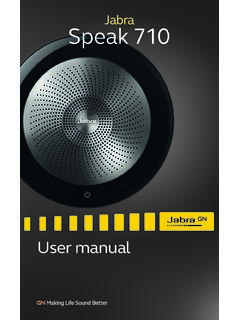
Jabra Speak 710
www.jabra.comPlug the Jabra Speak 710 into a USB power source using the attached USB cable. The Jabra Speak 710 battery lasts for up to 15 hours of talk time and takes approx. 3 hours to fully charge. jabra. 4.2 Automatic power off. To preserve battery while unplugged, the Jabra Speak 710 will automatically power off when it

Jabra PRO™ 920 DuoJabra PRO™ 920
www.jabra.comThe multi-function button can answer calls and end calls using a combination of taps, double-taps or presses. Multi-function button Function Tap Double-tap Press (hold 1-3 seconds) Answer incoming call End current call Reject incoming call Put current call on hold, and accept incoming call (not supported by all phones) Power on Power off

BlueParrott B250-XTS User Manual - Jabra
www.jabra.comMFB: Abbreviation for “Multifunction Button . ” Multipoint Mode: Multipoint Mode allows you to pair and switch between two Bluetooth devices . Paired: Two Bluetooth devices agree to communicate with one another . Standby Mode: Headset is on, Bluetooth link is active, and the user is not on a call (blue light will flash) .

Jabra Direct For Windows and macOS Personalize your device ...
www.jabra.comMicrosoft Lync 2010/2013 and Skype for Business presence integration Skype version 7.1 to 7.40.0.104 Zoom Zoom Meetings for Windows version 4.4.6 or later NEC NEC SP350 version 5.1.0 or later Mitel Mitel Communicator version 14 or later Other softphones

Jabra Evolve 75
www.jabra.comJabra Evolve 75 5. How to connect 5.1 PC (using Jabra Link 370) Plug the supplied Jabra Link 370 into a USB port on your PC. The Jabra Evolve 75 and the Jabra Link 370 are pre-paired and ready for use out of the box. The Bluetooth range is up to 30 meters or 100 feet. jabra To hear music in the headset you may need to

EVOLVE2 65 - Jabra
www.jabra.comThe Jabra Evolve2 65 and the Jabra Link 380 are pre-paired and ready for use out of the box. The Bluetooth range is up to 30 meters or 100 feet. To hear music in the headset you may need to select the Jabra Link 380 as the playback device in your operating system’s audio settings. To manually pair the Jabra Evolve2 65 with the

Jabra Elite 7 Pro
www.jabra.comearbuds and a total of 42 hours with the charging case. 4.1 Charging the earbuds Place the earbuds in the charging case and close the lid. It takes up to 2.5 hours to fully recharge the earbuds. When the charging case is opened, the LEDs on the earbuds will light up red, yellow or green to indicate the battery status of the earbuds. The
Related documents

Nissan Connect Navigation System Software Update
www.nissan-techinfo.comConnect the GR8 battery charger -set to power supply mode to the vehicle battery so that ... After selecting Update, the screen will go black for up to 1 minute. This is a normal part of the update. Select Update ... Please print the instructions on pages 10 and 11, and either place on the vehicle seat or attach it to the customer’s
GM Bulletin No.: Date: May 2015 Service Bulletin
static.nhtsa.govSERVICE UPDATE SUBJECT: Service Update for Inventory and Customer Vehicles Torque Converter Clutch (TCC) Shudder ... connect a battery charger. ... equipment, safety instructions, and know-how to do a job properly and safely. If a condition is described, DO NOT assume that the bulletin applies to

MPPT solar charger manual - Victron Energy
www.victronenergy.com• Read this manual carefully. It contains important instructions that need to be followed during installation, operation and maintenance. • Save these instructions for future reference on operation and maintenance • Danger of battery explosion from sparking • Danger of electric shock • Install the product in a heatproof environment.

USER MANUAL - GoPro
gopro.comupdate is available, the app provides instructions for installing it. You can also update your camera manually using the microSD card and a card reader/adapter (sold separately).
Jabra Elite Active 65t
www.jabra.cominstructions to pair to your smartphone. 4. Update the earbud firmware using the Jabra Sound+ app. 8.5 Using a replacement charging case Before using a replacement charging case for the first time, it will need to be synced with your current earbuds and charged for 1 hour. To begin syncing, place your current earbuds

PRIME A520M-K - Asus
dlcdnets.asus.com- EZ update ASUS CPU-Z AI Charger DAEMON Tools Norton Anti-virus software (Free Trial for 60 days) WinRAR UEFI BIOS ASUS EZ DIY - ASUS CrashFree BIOS 3 - ASUS EZ Flash 3 - ASUS UEFI BIOS EZ Mode BIOS 256 Mb Flash ROM, UEFI AMI BIOS Manageability WOL by PME, PXE Operating System Windows 10 - 64 bit Form Factor mATX Form Factor 8.9 inch x …

moto g play User Guide
www.att.comJan 01, 2020 · USB-C/Charger Microphone Speaker Fingerprint Sensor Earpiece Note: Certain apps and features may not be available in all countries. Power button. Choose from these options: » Power on/off: Press and hold the Power button, then tap . Power off. When your . phone is off, press and hold the Power button to turn it on. » Sleep/Wake up: