Example: confidence
機種共通 Online Manual
Symbols Used in This Document. Warning. Instructions that, if ignored, could result in death, serious personal injury, or property damage caused by
Information
Domain:
Source:
Link to this page:
Documents from same domain
Camera User Guide - gdlp01.c-wss.com
gdlp01.c-wss.comCamera User Guide ENGLISH • Before use, be sure to read this guide, including the safety precautions. • This guide will familiarize you with how to use the camera
Camera User Guide - gdlp01.c-wss.com
gdlp01.c-wss.com5 Before Use Basic Guide Advanced Guide Camera Basics Auto Mode Other Shooting Modes P Mode Playback Mode Setting Menu Wi-Fi Functions Accessories Appendix
INSTRUCTION MANUAL E INSTRUCTION MANUAL - …
gdlp01.c-wss.com2 Thank you for purchasing a Canon product. The EOS DIGITAL REBEL/EOS 300D DIGITAL is a high-performance, digital AF SLR camera with an ultra-fine CMOS sensor with 6.30 million
CANON INC. 30-2, Shimomaruko 3-chome, Ohta …
gdlp01.c-wss.comE E INSTRUCTION MANUAL CANON INC. 30-2, Shimomaruko 3-chome, Ohta-ku, Tokyo 146-8501, Japan U.S.A. CANON U.S.A. INC. For all inquiries …
はじめに やりたいこと 目次 EOS Utility
gdlp01.c-wss.com2 画像取り込み1 索 引 はじめに カメラ設定2 環境設定4 資 料 リモート撮影3 やりたいこと 目次 はじめに eos イオス
INSTRUCTION MANUAL INSTRUCTION MANUAL - …
gdlp01.c-wss.com11 Make a large size print of the pictureÎ p.70 (73, 83, 1) Take many pictures Î p.70 (76, 86) Focusing Change the point of focus Î p.66 (S AF point selection) ÎShoot a moving subject p.50, 65 (AI Servo AF)
MG3000 series Online Manual - gdlp01.c-wss.com
gdlp01.c-wss.comMG3000 series Online Manual Overview Printing Scanning Frequently Asked Questions English
PIXMA MG3200 series - gdlp01.c-wss.com
gdlp01.c-wss.comNetwork Connection Wireless Connection a Preparation for Connection Before Starting Wireless Connection Setup 1. Make sure that the printer is turned on.

PIXUS MG3200 series - gdlp01.c-wss.com
gdlp01.c-wss.comネットワーク接続 無線lan接続 a 接続の準備 無線lanの設定を始める前に 1. プリンターの電源が入っていることを確認します。

Handbuch Erste Schritte DEUTSCH - gdlp01.c-wss.com
gdlp01.c-wss.com2 Lieferumfang Überprüfen Sie, ob die folgenden Teile im Lieferumfang enthalten sind. Wenden Sie sich an den Kamera-Händler, falls etwas fehlen sollte.
Related documents
Compact I/O End Caps/Terminators - Rockwell Automation
literature.rockwellautomation.comUse this guide to install either end cap. Topic Page Summary of Changes 2 ... V2, V1, V0 (or equivalent) if non-metallic. The interior of the enclosure must be accessible only by the use of a tool. Subsequent ... 10V/m with 1 kHz sine-wave 80% AM from 80…2700 MHz
Dell ControlVault Installation Instructions for the ...
downloads.dell.comNote: If you are planning the use of the Dell Data Protection | Access or Wave Systems' EMBASSY Trust Suite (ETS) security products, do not apply this software update. 1.1 Supported Operating Systems The ControlVault software is supported on the following Microsoft Windows operating system: • Microsoft Windows 7 • Microsoft Windows 8
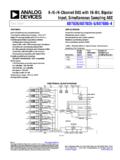
8-/6-/4-Channel DAS with 16-Bit, Bipolar Input ...
www.analog.com8-/6-/4-Channel DAS with 16-Bit, Bipolar Input, Simultaneous Sampling ADC Data Sheet AD7606/AD7606-6/AD7606-4 Rev. F Document Feedback Information furnished by Analog Devices is believed to be accurate and reliable.

Pspice Tutorial - University of Minnesota
www.hkn.umn.eduU/u 1.00E-06 M/m 1.00E-03 K/k 1.00E+03 MEG/meg 1.00E+06 G/g 1.00E+09 T/t 1.00E+12 Another way of changing the value of the component is with the “Property Editor”. To get to this window, click on the entire component and right click “Edit Properties”. A screen will pop up showing the various attributes. If you scroll all the way to the ...