Transcription of Shuttered Venue Operators Grant
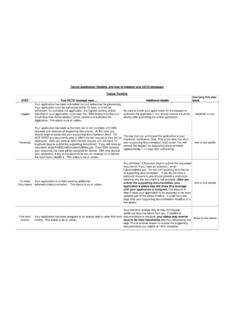
1 Shuttered Venue Operators Grant Post-Application Guidance | October 20, 2021 The Shuttered Venue Operators Grant (SVOG) program was established in Section 324 of the Economic Aid to Hard-Hit Small Businesses, Nonprofits and Venues Act (Economic Aid Act) signed into law on Dec. 27, 2020, as part of 133 Consolidated Appropriations Act, 2021 ( Public Law No. 116-260). Section 324 of the Economic Aid Act was amended by Section 5005 of the American Rescue Plan Act (Public Law No. 117-2) signed into law on March 11, 2021. This guidance document answers common questions about the SVOG program for applicants. Contents Application and Award Decision Process ..2 Application Review Update and Applicant Responses.
2 2 Applicant Action Items During "In Review" Stage ..3 Other Special Circumstances ..4 Post-Approval Stage ..4 Award & Disbursement Stage ..6 Declined Applications ..6 Appeals, Award Amount Reconsiderations & Supplemental Awards ..6 Active Grantee Phase ..7 SVOG Active Grantee Process Overview ..7 Finalize Budget Action Item ..8 Communication with the SBA ..8 SVOG Award Timeline and Related Notice of Award Terminology ..9 Permissible Spending of SVOG Award 10 Assessing Cost Eligibility and Allowability .. 10 Demonstrating Costs Allocability .. 10 Maintaining Supporting Documentation and Record Retention .. 10 Closeout .. 11 Closeout Timeline .. 11 SVOG Closeout Process Overview .. 11 Barriers to Closeout .. 13 Monitoring.
3 13 What is Monitoring? .. 13 SVOG Monitoring Process .. 13 Grantee Role and Responsibilities in Monitoring Process .. 13 2 | Page Monitoring Event Conclusions, Corrective Actions and Closure .. 13 Audit .. 14 What is Auditing? .. 14 Audit Requirements .. 14 Which one: Single or Program-Specific Audit? .. 14 Audit Reporting Requirements .. 15 Other SVOG Program Audit Activities .. 15 Application and Award Decision Process Application Review Update and Applicant Responses The SBA began processing applications in order of priority in April 2021 and issuing Grant award decisions in late May 2021. As of October 12, 2021, the SBA has issued decisions on 98% of all initial 17,644 applications. SVOG Applicants receive communications from the SBA via the contact information provided on their application.
4 Changes or updates to the contact information on file with SVOG must be made by contacting customer service via or by calling 1-800-659-2955. Maintaining up-to-date contact information for your current authorized representative is crucial, as only the authorized representative will receive notifications about information requests and available documents. These communications are time sensitive, so please review carefully for the applicable deadlines. Official SVOG communications are sent from an email address, typically or For some email applications, the email address will show as coming from on behalf of In some circumstances SVOG Customer Service will follow up on an email or action item via phone.
5 These legitimate calls are made from official SBA phone numbers, and can be verified via an email from an address. To verify further, you can log in to your SBA account on the SVOG Application Portal to view any required action items and contact for more information. The SBA provides status updates throughout the decision-making process. You may r eceive email status updates for several reasons, including that your: o award is finalized and you need to execute your pre-award documents; o application has been reviewed and additional documentation or information is required; o application has been reviewed and declined (see below for appeal information); o award amount is being reconsidered and additional documentation or information is required; o application is eligible for appeal and additional documentation or information is required; o supplemental award is ready and you need to execute your pre-award documents.
6 3 | Page When you receive a status update from the SBA, log in to the SVOG Application Portal to complete all required action items. You may click the link in the email or enter directly into your browser. After logging in, click the Funding Request Name to open your application. - Status Update will appear in the top left of the page. - Action Items are at the top right of the page. o Click there and follow the instructions provided. o Action Items are time sensitive, please review carefully for your applicable deadlines. If you have questions about completing Action Items, please contact the SBA. For general assistance, call the Office of Disaster Assistance s Customer Service Center: Phone: 1-800-659-2955; Monday through Friday, 8 am to 8 pm ET Email: For in-depth assistance, contact SBA s resource partners: You can identify partners in your area by visiting You may request to withdraw an application by emailing The request must be sent from the email address used to create the SVOG application, and must include: 1.
7 Subject Line: Request to Withdraw SVOG Application 2. Email Message: - SVOG application number - Email address used to create the application - Entity name, address, and phone number - Name of person making the request o Request must be made by applicant or authorized representative named in the application - Reason the applicant is requesting to withdraw the application Applicant Action Items During "In Review" Stage After review and prior to approval or decline, you may need to complete an Action Item. Possible Action Items include: 1. Technical Corrections: Your application has been reviewed, but additional information or documentation of specific requirements is needed. - You will receive an email advising you of the Action Item - After logging in to the portal, you will see a checklist advising you of the additional information or documentation to provide - Follow the instructions provided in the portal to upload and submit the requested information - You have 14 days to complete this Action Item 2.
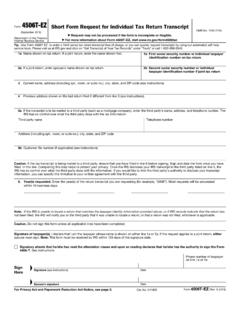
8 4506t : The IRS could not process your 4506t for various reasons. - You will receive an email advising you of the Action Item - After logging in to the portal, you will see a new 4506t checklist. You may make corrections, if needed - Review and sign the document - Follow the instructions provided in the portal to upload and submit the document 4 | Page - You have 14 days to complete this Action Item 3. Do Not Pay: Your name or entity name appears on the Department of Treasury's Do Not Pay (DNP) list. Your status must be corrected or cleared prior to Award. - You will receive an email advising you of the Action Item - After logging in to the portal, you will see information regarding where and why your name appears on the Do Not Pay list - Follow the instructions provided to contact the source of your Do Not Pay status.
9 O Visit Do Not Pay - Privacy Program ( ), o Scroll down to Data Correction Process, o Find the row for the match source, and o Use the Contact Information to contact the source and correct or clear your status - In the portal, follow the instructions for notifying the SBA that you cleared or corrected your status - You have 30 days to clear or correct a DNP status Other Special Circumstances A small number of applicants may receive an email from SVOG indicating their tax transcript was returned with No Record Found . If you receive such an email, follow these instructions: Step 1: Verify with the Internal Revenue Service (IRS) that your 2019 Federal Tax Return has been received and processed. The IRS provides a few toll-free numbers to assist you, depending on your circumstance: o For applicants who filed a Form 1040, call 800-829-1040, from 7 to 7 local time, o For applicants who filed Form 1065, 1120, or 1120-S, call 800-829-4933, from 7 to 7 local time, or o For applicants who filed Form 990 or 990-EZ, call 877-829-5500, from 8 to 5 local time.
10 Step 2: If the IRS tells you that your tax return has been received and processed, please follow the instructions to fill out another 4506-T and ensure that all information is correct. If the IRS indicates that your tax return has been received but not processed, proceed to step 3. Step 3: Contact the Taxpayer Advocate Service (TAS). The TAS is an independent organization within the IRS designed to help if you have tax problems that you cannot resolve on your own (Home - Taxpayer Advocate Service ( ). In the interest of helping your tax return get processed, please contact the TAS to inquire if their services can assist you. Additionally, you can directly request assistance at Submit a request for assistance - Taxpayer Advocate Service ( ).)