Transcription of The ACA Application for TCC Process ACA ... - IRS tax forms
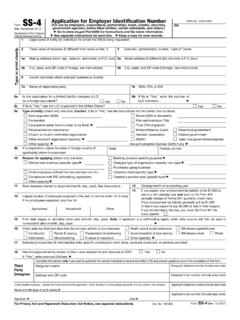
1 ACA Application for TCC 1 How do I request a transmitter Control Code (TCC) to electronically file Affordable Care Act (ACA) Information Returns? To electronically file ACA Information Returns, a firm or an organization must submit the ACA Application for TCC. After you register with e-Services, you will have access to the ACA Application for TCC. Once your Application is approved, you can review and update your Application online as needed. This tutorial provides guidance on steps to complete, modify and submit an ACA Application for TCC.
2 Select from the following: The ACA Application for TCC Process 32 TUPurpose of ACA Application for TCCU32T 32 TUInformation that is needed to complete applicationU32T 32 TUHow to access the applicationU32T 32 TUACA Application for TCC navigationU32T 32 TUComplete a New ACA Application for TCCU32T 32 TUFirm InformationU32T 32 TUResponsible OfficialsU32T 32 TUContactsU32T 32 TUApplication DetailsU32T 32 TUSoftware DeveloperU32T 32 TUSummaryU32T 32 TUTerms of AgreementU32T 32 TUModify an ACA Application for TCCU32T
3 ACA Application for TCC 2 Purpose of ACA Application for TCC The purpose of the Application is to request authorization to electronically file the Affordable Care Act (ACA) Information Returns and to receive an ACA transmitter Control Code (TCC). The Application currently supports the following: form 1094-B, Transmittal of Health Coverage Information Returns form 1095-B, Health Insurance Coverage form 1094-C, Transmittal of Employer-Provided Health Insurance Offer and Coverage Information Returns form 1095-C, Employer-Provided Health Insurance Offer and Coverage Note.
4 If you are electronically filing forms 8963, report of Health Insurance Provider Information or form 8947, report of Branded Prescription Drug Information, please complete an IRS e-file Application . Complete the ACA Application for TCC if your firm or organization is performing one of the following: Issuer: Files their own ACA Information Returns. transmitter : Sends electronic information return data directly to the IRS on behalf of other businesses. Software Developer: Writes origination or transmission software according to IRS specifications.
5 Each of the roles listed above will be assigned it's own TCC. These roles are not mutually exclusive, for example, your firm or organization may be both a transmitter and Software Developer. Information needed to complete the ACA Application for TCC Note: If you are a foreign company that does not have an Employer Identification Number (EIN) you will need to complete a form 4423, Application for Filing Affordable Care Act (ACA) Information Returns. Your firm or organization s EIN. Your firm or organization s legal business name, business type, physical and mailing addresses, and phone numbers.
6 Note: If the Firm or organization s doing business as (DBA) name is different than the legal business name, that information will need to be provided. ACA Application for TCC 3 Responsible Officials (minimum of two) and Contact Information (minimum of two) including: o Taxpayer Identification Number; (Social Security Number (SSN) or Individual Taxpayer Identification Number (ITIN) o Date of birth (DOB) and US Citizenship o Contact information including e-mail address, title, phone number Note: A Responsible Official may also be a Contact.)
7 The roles of your firm/organization. Note: If you have the role of Software Developer, you will need to complete additional information for the issuance of your Software Identification numbers. Software Developer information must be updated yearly. The form (s) that you will be filing. The transmission method(s) you will use. The IRS will review your Application information and supply a written confirmation as to your acceptance or rejection into the program. Processing times may vary; however, the typical Application will be processed within five business days.
8 How to access the Application To access the ACA Application for TCC, you must first login to e-Services using your current login information. When you login to e-Services, you may be asked to select an Organization. An Organization is a profile under which you work in e-Services. Think of an organization as the hat you are wearing during an e-Services session. Some days, you may want to work on your personal e-Services profile. Other days, you are representing a particular firm or organization and their work. E-Services users may represent multiple firms or organizations in various roles depending on their job responsibilities.
9 There are two types of organizations you may choose from on the Select Organization e-Services page: Every user has an Individual Organization. Under this profile, you may edit your e-Services registration information or complete a new Application . Note: Until the Application has been completed, the Responsible Officials should select the Individual Ogranization, if the option is available on their Select Organziation page. ACA Application for TCC 4 Authorized users of e-Services products may also have one or more Firm/Organizations.
10 Note: Organizations that have completed the ACA Application for TCC Process will have (ACA) in front of their Organization name. If you have never completed an Application , once you login, the system will take you directly to the Landing Page. Select ACA Application for TCC from the landing page. ACA Application for TCC 5 ACA Application for TCC navigation You do not have to complete an ACA Application for TCC in one session. The typical Process for completing an Application for most firms or organizations will consist of the following steps: 1.