Epson ScanSmart User's Guide
• If you scanned double-sided, select On or Off for Include back sides if you want to keep or discard the back sides of scanned images. 5. When you are finished reviewing the scanned images, click Next. You see a screen like this: 6. Select an option to save, send, or print the scanned images. See the links below. Saving a Scan Attaching a ...
Download Epson ScanSmart User's Guide

Information
Domain:
Source:
Link to this page:
Documents from same domain

User's Guide - XP-410 - Epson
files.support.epson.comChanging or Updating Network Connections ..... 34 Accessing the Web Config Utility..... 35

WF-2630 User's Guide - Epson
files.support.epson.comUsing WPS to Connect to a Network..... 35 Printing a Network Status Sheet..... 36

Manual del usuario L575 - files.support.epson.com
files.support.epson.com3 Contenido Manual del usuario L575..... 13

Manual del usuario de la L555 - …
files.support.epson.comCómo escanear utilizando el panel de control del producto..... 74 Cómo cambiar los ajustes predeterminados de los botones de escaneo ..... 75

User's Guide - WF-100 - Epson
files.support.epson.comWF-100 User's Guide Welcome to the WF-100 User's Guide. For a printable PDF copy of this guide, click here. 9. Product Basics

User Manual - PowerLite S18+/W15+/W18+/X24+
files.support.epson.comCorrección de la forma de la imagen con los botones de corrección trapezoidal ..... 72 Corrección de la forma de la imagen con Quick Corner ..... 74

2 Guía de instalación OK - files.support.epson.com
files.support.epson.com2 Introduzca el CD del producto o descargue y ejecute el paquete de software del producto: global.latin.epson.com/Soporte/L575 3 …

Manual do usuário - files.support.epson.com
files.support.epson.com2 L Todos os direitos reservados. Nenhuma parte desta publicação pode ser reproduzida, armazenada em sistemas de recuperação ou transmitida de alguma forma ou meio

XP-310 User's Guide - Epson
files.support.epson.comAvailable EPSON Papers ... XP-310 User's Guide Welcome to the XP-310 User's Guide. For a printable PDF copy of this guide, click here. 11. Product Basics

User's Guide - WF-7610/WF-7620 - Epson
files.support.epson.comAvailable Epson Papers ... Welcome to the WF-7610/WF-7620 User's Guide. For a printable PDF copy of this guide, click here. 13. Product Basics
Related documents
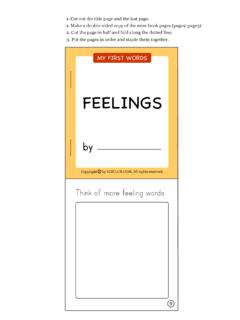
FEELINGS - KIZCLUB
www.kizclub.com1. Make a double-sided copy of the mini-book pages.(page2-page3) 2. Cut the page in half and fold along the dotted line. 3. Put the pages in order and staple them together. Think of …
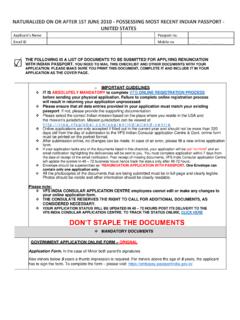
DON’T STAPLE THE DOCUMENTS
www.vfsglobal.com"DOUBLE SIDED HANDWRITTEN DOCUMENTS ARE NOT ACCEPTED Application with a lack of documents will be considered incomplete and will remain on hold for 21 days. On none receipt of the missing documents, the application shall be Abandoned and returned to the applicant. In this case, the applicant would have to restart the entire
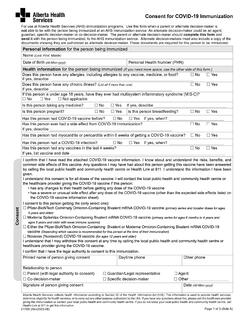
Consent for COVID-19 Immunization
www.albertahealthservices.caThis is a double sided form. Please set your printer preferences to "print on both sides" to ensure that the document prints as a single double-sided sheet. Consent for COVID-19 Immunization. For Office Use Only. Name (Last, First, Middle) PHN. Telephone/Fax Consent.

Gingerbread Man WREATH
assets.contentstack.io•Thick double sided tape or glue Cut the wreath base and the gingerbread men plus candy. supplies Arrange on top of the base and place with glue, regular tape or thick tape to create even more dimension. Design by Dariela Cruz WWW.MAMITALKS.COM 1 2 3 Fold legs and arms a little to create dimension.
Quick Reference Guide - WF-3520
files.support.epson.comTo make double-sided copies, select 2-Sided Copying, then press OK and select one of the available options. To adjust the copy size, select Reduce/Enlarge, press OK, then choose Actual Size (to print at actual size), Custom Size (to select a percentage), Auto Fit Page (to automatically size the image to fit your paper), or one of the specific