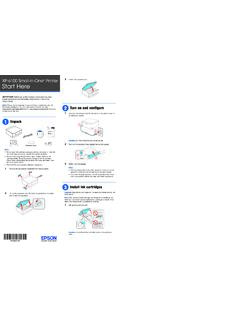
Start Here - XP-6100
5 Insert the cartridges at an angle in the holder for each color. Press each cartridge down until it clicks. 6 Lower the scanner unit. 7 Select Installed and press the OK button to start charging the ink. Ink charging takes approximately 10 minutes. When you see a completion message on the printer’s LCD screen, charging is complete.
Download Start Here - XP-6100

Information
Domain:
Source:
Link to this page:
Documents from same domain

User's Guide - XP-410 - Epson
files.support.epson.comChanging or Updating Network Connections ..... 34 Accessing the Web Config Utility..... 35

WF-2630 User's Guide - Epson
files.support.epson.comUsing WPS to Connect to a Network..... 35 Printing a Network Status Sheet..... 36

Manual del usuario L575 - files.support.epson.com
files.support.epson.com3 Contenido Manual del usuario L575..... 13

Manual del usuario de la L555 - …
files.support.epson.comCómo escanear utilizando el panel de control del producto..... 74 Cómo cambiar los ajustes predeterminados de los botones de escaneo ..... 75

User's Guide - WF-100 - Epson
files.support.epson.comWF-100 User's Guide Welcome to the WF-100 User's Guide. For a printable PDF copy of this guide, click here. 9. Product Basics

User Manual - PowerLite S18+/W15+/W18+/X24+
files.support.epson.comCorrección de la forma de la imagen con los botones de corrección trapezoidal ..... 72 Corrección de la forma de la imagen con Quick Corner ..... 74

2 Guía de instalación OK - files.support.epson.com
files.support.epson.com2 Introduzca el CD del producto o descargue y ejecute el paquete de software del producto: global.latin.epson.com/Soporte/L575 3 …

Manual do usuário - files.support.epson.com
files.support.epson.com2 L Todos os direitos reservados. Nenhuma parte desta publicação pode ser reproduzida, armazenada em sistemas de recuperação ou transmitida de alguma forma ou meio

XP-310 User's Guide - Epson
files.support.epson.comAvailable EPSON Papers ... XP-310 User's Guide Welcome to the XP-310 User's Guide. For a printable PDF copy of this guide, click here. 11. Product Basics

User's Guide - WF-7610/WF-7620 - Epson
files.support.epson.comAvailable Epson Papers ... Welcome to the WF-7610/WF-7620 User's Guide. For a printable PDF copy of this guide, click here. 13. Product Basics
Related documents

Artisan 1430 User's Guide - files.support.epson.com
files.support.epson.com• Mac OS X 10.6/10.7: In the Apple menu or the Dock, select System Preferences. Select Print & Fax or Print & Scan, select your product, and select Options & Supplies. Select Utility and select Open Printer Utility. • Mac OS X 10.4/10.5: In the Apple menu or the Dock, select System Preferences. Select Print &

Synology DiskStation DS918+
global.download.synology.comPackage Contents Main unit x 1 AC power cord x 1 ... 1 Status Indicator Front Panel Displays the status of the system. For more information, see "Appendix B: LED Indicator Table ". 2 Disk Indicator Displays the status of the installed drive. For more information, see ... Then insert the fastening panels to secure the drive in place. Hardware ...

USER GUIDE - AT&T
www.att.comsides of the TV back panel rather than down the middle once connected. Try not to coil any twin-lead cables and keep them away from A/V cables as much as possible. • Never insert objects of any kind into any openings in the DIRECTV ® Receiver (other than the DIRECTV Access Card as detailed in this manual).

The Future of Public Health - Centers for Disease Control ...
www.cdc.govMay 10, 2005 . HIGHLIGHTS . ... Care Is Key . PANEL DISCUSSION . Challenges in improving the health of all Supported by an educational grant from AstraZeneca Pharmaceuticals LP . Ca M A N A G E D re e ... sources and may not be the same as indicated on the approved package insert. Please consult the com

FLIGHT INSTRUMENT PANEL - Logitech
www.logitech.comTo use the Instrument Panel as a standalone device, simply extend the support stand at the back of unit as shown. You can also fix the panel to the supplied mounting bracket. Insert the screws through the holes at the corners of the panel into the bracket behind and tighten.

FLIGHT INSTRUMENT PANEL - Logitech
www.logitech.comInstalling the Instrument Panel To use the Instrument Panel as a standalone device, simply extend the support stand at the back of unit as shown. You can also fix the panel to the supplied mounting bracket. Insert the screws through the holes at the corners of the panel into the bracket behind and tighten.