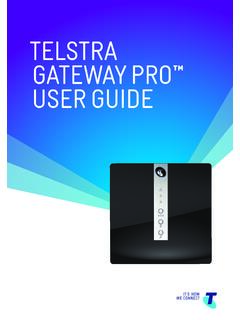
TELSTRA GATEWAY PRO ™ USER GUIDE
TELSTRA GATEWAY PR™ USER GUIDE 8 1.4.2. Getting to know the back panel Back Panel LED & port description LED Activity Description DSL port None The DSL port is connected for ADSL and VDSL connections FXO port None N/A FXS1 port None Plug an analogue phone / device into this port when voice is enabled on the Gateway
Download TELSTRA GATEWAY PRO ™ USER GUIDE

Information
Domain:
Source:
Link to this page:
Documents from same domain

telstra.com/homephone HOME FEATURES USER …
www.telstra.com.auC020 OCT13 GET TO KNOW YOUR HOME PHONE telstra.com/homephone HOME FEATURES USER GUIDE visit a telstra store 13 2200
TIPS AND TRICK S foR youR NBN C oNNECTI oN - …
www.telstra.com.auTIPS AND TRICK S foR youR NBN C oNNECTI oN TElSTRA SER vICES o N ThE NBN SuPPoRT guIDE
Telstra Cloud Collaboration Cisco Powered
www.telstra.com.ausecure virtual spaces accessed via the Cisco Spark app. • Spaces are multi-purpose, searchable and accessible from any device, anytime, anywhere. ... endpoints within Cisco WebEx® Meeting Centre ... foundation for WebRTC-enabled endpoints. Intelligent Routing Collaboration
INTERNET VPN REMOTE ACCESS CLIENT USER GUIDE
www.telstra.com.auThe Internet VPN Remote Access Client is a program installed on your computer that tunnels all internet traffic through your company’s VPN. Remote Access User will use an SSL Client to connect to the Adaptive Security Virtual Appliance (ASAv).
OUR CUSTOMER TERMS PRIVATE CLOUD CISCO HYPERFLEX …
www.telstra.com.auOUR CUSTOMER TERMS PRIVATE CLOUD – CISCO HYPERFLEX TELSTRA CORPORATION LIMITED (ABN 33 051 775 556) | Our Customer Terms - Cloud Services – Private Cloud – Cisco HyperFlex 12 November 2016 | TELSTRA UNRESTRICTED
Feb 2012– v8.0 Mobile Device Management Administrator …
www.telstra.com.auTelstra Mobile Device Management Guide – Apple iOS Page 10 The Telstra MDM portal will then search for the mobile number and display a picture of the handset model associated with that mobile number or email address.
telstra.com/homephone HOME FEATURES USER GUIDE visit …
www.telstra.com.au06 07 HOW TO USE IT To turn on Call Forward Busy for all incoming calls: 1 # Follow prompts or 2 4 Phone number # To turn off Call Forward Busy for all incoming calls: 1 # Follow prompts or # 2 4 # To check if Call Forward Busy is on or off: 1 # Follow promptsH or # 2 4 # Announcement Call Forward Busy is available to use on your phone now.
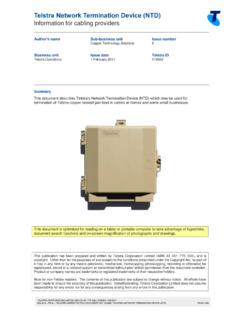
Telstra Network Termination Device (NTD)
www.telstra.com.auTelstra Network Termination Device (NTD) Information for cabling providers TELSTRA CORPORATION LIMITED (ABN 33 051 775 556) | ISSUED 1/02/2017
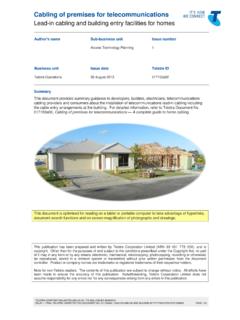
Cabling of premises for telecommunications
www.telstra.com.auCabling of premises for telecommunications Lead-in cabling and building entry facilities for homes TELSTRA CORPORATION LIMITED (ABN 33 051 775 556) | ISSUED 26/08/2013
Things you need to know about your service - Telstra
www.telstra.com.au03 Our customer service commitment for mobile services We use due care and skill whenever we provide you with a service. There may also be other non-excludable statutory guarantees,
Related documents
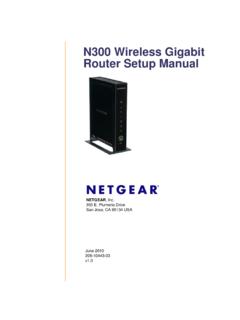
N300 Wireless Gigabit Router Setup Manual
www.downloads.netgear.comJune 2010 208-10443-03 v1.0 NETGEAR, Inc. 350 E. Plumeria Drive San Jose, CA 95134 USA N300 Wireless Gigabit Router Setup Manual
5G Implementation Guidelines - GSMA
www.gsma.comxDSL x Digital Subscriber Line References Ref Title [1] GSMA PRD IR.92, IMS Profile for Voice and [2] “BEREC Report on infrastructure sharing”, BEREC 2018. [3] GSMA PRD IR.65, IMS Roaming and Interworking Guidelines [4] Guidelines GSMA PRD NG.113, 5GS Roaming Note: Document will be available in Q4/2019 [5]

Wireless DSL Gateway - Verizon
www.verizon.comWireless DSL Gateway User Manual 1 Introduction 1.0 Introduction 1.1 System Requirements 1.2 Features 1.3 Important Safety Instructions 1.4 Getting to Know the Gateway 2 Performing a Quick Setup 2.0 Introduction 2.1 Accessing Quick Setup Screens 2.2 Changing the Password 3 Viewing the Gateway’s Status ...

Quick Start Guide - Sophos
docs.sophos.comMount the antennas (for wireless models only) Connect the provided antennas to the connectors on the back of your appliance and align them in a vertical position. Connect the ports to the internal and external networks 1.Connect the port 1/LAN via a switch to the internal network. For this purpose, use the RJ45 Ethernet cable provided.
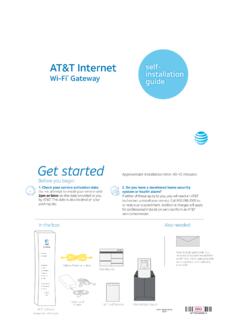
AT&T Internet Wi-Fi® Gateway Self-installation Guide ...
www.att.comWi-Fi Gateway’s DSL Broadband port to your wall jack. B. Connect the yellow Ethernet cable from the ONT port to the Wi-Fi Gateway’s red ONT Broadband port. C. Connect the other yellow Ethernet cable from the . Wi-Fi Gateway’s Ethernet port to your computer. D. Plug the power cord into the Wi-Fi Gateway and into an electrical outlet.
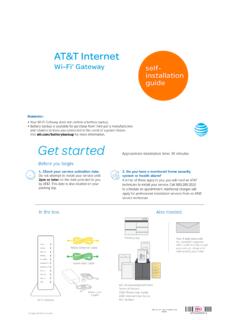
AT&T Internet Wi-Fi Gateway Self-installation guide ...
www.att.comConnect the green data cable from the Wi-Fi Gateway’s DSL Broadband port to your wall jack B. Connect the yellow Ethernet cable from one of the Wi-Fi Gateway’s Ethernet ports to your computer C. Plug one end of your phone cable into the Wi-Fi Gateway’s Phone Lines 1 & 2 port and the other end into a standard phone or cordless base station D.
SR400ac Gateway User Manual - Zzoomm
zzoomm.comThe red RJ45 port labeled WAN is used to hard-wire your SR400ac gateway to another network device using a RJ45/Ethernet cable. USB The two USB ports on your 400AC gateway (2.0 port on the back and 3.0 on the left side) are used to connect USB storage devices to your gateway for transferring data. They also provide +5 VDC for charging other devices.