Title stata.com xtset — Declare data to be panel data
to use the xt commands. You do not need to set both, but it will not matter if you do. xtset and tsset are different, however, when you set just a panelvar—you type xtset panelvar— or when you set just a timevar—you type tsset timevar. If you save your data after xtset, the data will be remembered to be a panel and you will not
Download Title stata.com xtset — Declare data to be panel data

Information
Domain:
Source:
Link to this page:
Documents from same domain
Syntax - Stata
www.stata.com2cluster kmeans and kmedians— Kmeans and kmedians cluster analysis Options Main k(#) is required and indicates that # groups are to be formed by the cluster analysis.
Syntax Description - Stata
www.stata.com2substr()— Extract substring Diagnostics In substr(s, b, l) and substr(s, b), if b describes a position before the beginning of the string or after the end, "" is returned.
Title stata.com generate — Create or change …
www.stata.comTitle stata.com generate — Create or change contents of variable SyntaxMenuDescriptionOptions Remarks and examplesMethods and formulasReferencesAlso see Syntax Create new variable generate type newvar
SyntaxDescriptionRemarks and examplesAlso see
www.stata.commacro— Macro definition and manipulation 3 Macro extended functions related to matrices rownamesjcolnamesjrowfullnamesjcolfullnames matname roweqjcoleq
Title stata.com graph box — Box plots
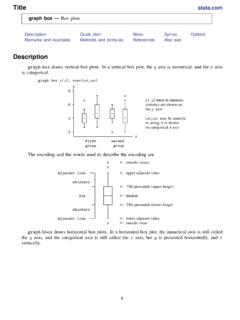
www.stata.comgraph box— Box plots 3 Menu Graphics > Box plot Syntax graph box yvars if in weight, options graph hbox yvars if in weight, options where yvars is a varlist options Description
Title stata
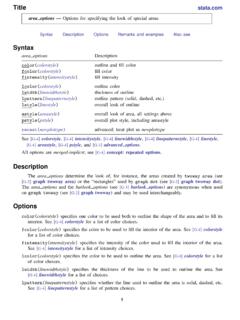
www.stata.comarea options — Options for specifying the look of special areas 3 Also see [G-2] graph dot — Dot charts (summary statistics)
www.stata.com
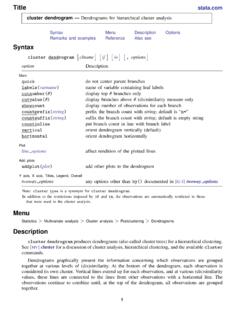
www.stata.com2cluster dendrogram— Dendrograms for hierarchical cluster analysis The height of the vertical lines and the range of the (dis)similarity axis give visual clues about the
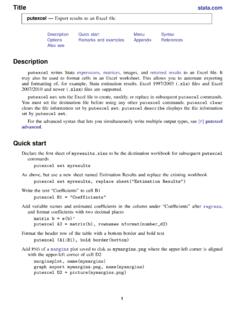
Title stata.com putexcel — Export results to an Excel …
www.stata.computexcel— Export results to an Excel file 3 export options Description Main overwritefmt overwrite existing cell formatting when exporting new content
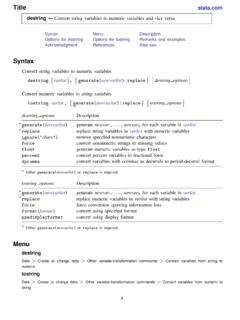
destring — Convert string variables to numeric ... - …
www.stata.comTitle stata.com destring — Convert string variables to numeric variables and vice versa SyntaxMenuDescription Options for destringOptions for tostringRemarks and …
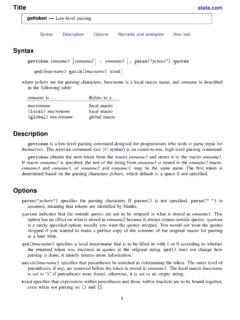
Title stata.com gettoken — Low-level parsing
www.stata.comTitle stata.com gettoken — Low-level parsing SyntaxDescriptionOptionsRemarks and examplesAlso see Syntax gettoken emname1 emname2: emname3, parse("pchars") quotes qed(lmacname) match(lmacname) bind
Related documents
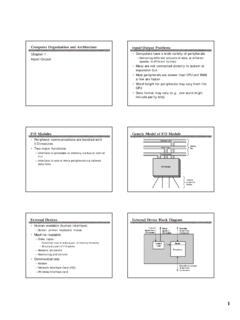
Computer Organization and Architecture Input/Output …
aturing.umcs.maine.eduInput/Output Computer Organization and Architecture Input/Output Problems • Computers have a wide variety of peripherals —Delivering different amounts of data, at different speeds, in different formats • Many are not connected directly to system or expansion bus • Most peripherals are slower than CPU and RAM; a few are faster
Using Bloomberg to get the Data you need
people.stern.nyu.eduWHERE TO FIND THE DATA This is a listing of all of the financial data that you will need to analyze your company and where exactly on the Bloomberg output you will find the data. Once you have identified what you would like to look up, use the item number and go to the specified page number on Bloomberg to look it up.
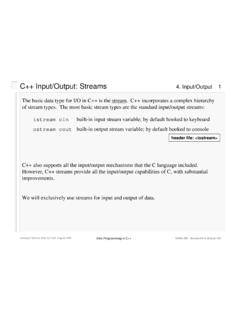
C++ Input/Output: Streams - Virginia Tech
courses.cs.vt.eduThis sets up the file streams to read data from a file called "readme.data" and write output to a file called "writeme.data". Computer Science Dept Va Tech August, 2001

SAS® ODS Destination for Microsoft Excel: Use the STYLE ...
www.sas.comcollection of attributes that affect some output of a SAS program. Second, as a style attribute, which is a name-value pair that describes an output behavior or visual result that you want to apply to output data. A style attribute change is the most specific way to directly change how your data looks.
Simulating Data with SAS
support.sas.com• Use the DATA step to simulate data from univariate and uncorrelated multivariate distributions. You can use the RAND function to generate random values from more than 20 standard univariate distributions. You can combine these elementary distributions to build more complicated distributions. From Simulating Data with SAS ®. Full book available
Excellent Ways of Exporting SAS Data to Excel
lexjansen.comallow you to save the data as a CSV or TXT file and performs simple filtering and sorting of data. This software will also support some cross-platform SAS data sets, so it is a great tool for multiple OS environments. The following example use the sample data set SASUSER.CLASS. • Start the SAS System Viewer.
Instruction Sets: Characteristics and Functions Addressing ...
www.csee.umbc.eduData Transfer Instructions •Are responsible for moving data around inside the processor as well as brining in data or sending data out •Examples: Store, load, exchange, move, set, push, pop •Each Instruction should have: •source and destination (memory, register, input/output port) •amount of data
Using SAS® Macro Variable Lists to Create Dynamic Data ...
www.sas.comThe output from the macro processor must be run back through the parser once more to ... to values which have been read from data sets and placed in the program data vector. We simply provide a macro variable name and the value to be assigned as …
Helland Cosmos Big Data and Big Challenges - microsoft.com
www.microsoft.com–Changed to deal with input and output streams • SCOPE is a high level declarative language for data manipulation –It translates very naturally into parallel computation 10 Scope Job Stream-1 Stream-2 Stream-3 Stream-A Stream-B Input Output Input Arrives as Sets of Records Computation Occurs as Sets of Records Output Written as