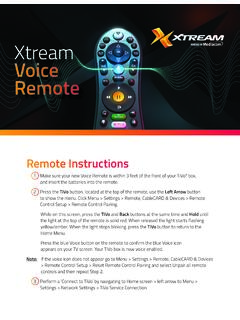
Xtream Voice Remote
Setup the remote for your TV or AV Receiver 1 Press the TiVo button. 2 Go to Menu > Settings > Remote, CableCARD & Devices > Remote Control Setup. 3 Select ‘Set TV Power, Volume and Mute,’ ‘Set TV Input’ or ‘Set A/V Volume and Mute’ and follow the instructions. Note: Programming codes will start with a ‘1’.
Download Xtream Voice Remote

Information
Domain:
Source:
Link to this page:
Documents from same domain

Sagemcom F@st 3896
mediacomcc.custhelp.comIP v4/v6 of SWANTM middleware ensures to the F@st 3896 its readiness for all major scenarios of IPv6 network migration. SWANTM modular architecture allows easy third parties application integration for operator to easily differentiate: GUI, Web services or even new features developped over SWANTM SDK. INTERFACES • Network: - DOCSIS 3.1 2x2
CGNVM DOCSIS 3.0 eMTA WiFi Gateway User’s Guide
mediacomcc.custhelp.comCGNVM DOCSIS 3.0 eMTA WiFi Gateway User’s Guide. Version 1.0 - 02/2015 SW Version CGNVM_4.5.10.10T3-MGCP-150429
TECHNICOLOR WIRELESS GATEWAY - CGM4231 OPERATIONS …
mediacomcc.custhelp.com1/8/2018 Proprietary and Confidential - Technicolor 2 Revision History Revision Date Description Draft 1.0 1/8/2018 Initial draft
CGA4131 BUSINESS GATEWAY OPERATIONS GUIDE
mediacomcc.custhelp.comweb page user interface accessible by the user or remotely by the MSO by SNMP/TR-069. The Technicolor CGA4131 offers the following features: • Compliance with DOCSIS 3.0 and 3.1 standards to deliver high-end performance and reliability • …

WELCOME TO
mediacomcc.custhelp.comThe TiVo experience instantly gives you total control of the TV programming you love, and much more! The TiVo digital video recorder (DVR) connects to your Internet service giving you access to an entire universe of on-demand movies, TV shows, and web videos (and you can stream shows from your TiVo DVR to every room in your home!).

Remote control features
mediacomcc.custhelp.comthe TiVo button of the remote control) flashes red when it sends the IR command, then the activity indicator flashes amber while it attempts to find and pair with a DVR. The TiVo remote control in New Pairing Mode usually pairs in less than a second after the first key press.

Touchstone TG3452 Telephony Gateway
mediacomcc.custhelp.comWhether you’re checking out streaming media, downloading new software, checking your email, or talking with friends on the phone, the Touchstone TG3452 Telephony Gateway brings it all to you faster and more ... The product shall be cleaned using only a damp, lint-free, cloth. No solvents or cleaning

ACCESS CAblE gAtEwAy MARlIN l
mediacomcc.custhelp.comACCESS CAblE gAtEwAy MARlIN l CGA4236 Dual-Band Wi-Fi 6 Smart Ultra-Broadband Cable Gateway with Voice for above Gigabit Speeds Features at a Glance DOCSIS® 3.1 compliant Backward compatible with DOCSIS®/EuroDOCSIS® 3.0 2 x 2 OFDM(A) bonded channels in DOCSIS 3.1 mode 32 x 8 bonded channels in DOCSIS/EuroDOCSIS 3.0 mode
Related documents
Get to know your Optional Advanced Auto-Program remote ...
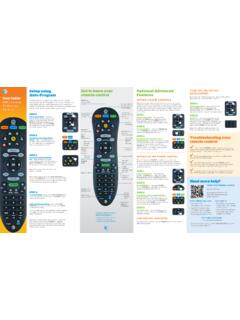
www.att.comAudio device programming: Let go of the FASt ForWArD key when the device mutes. Press mute to unmute the device. Use the volume keys to verify that the remote control is controlling the volume. If it does not work properly, repeat this process. note: If TV programming is interrupted or inactive for more than 10 seconds, the PoWer key will flash

UNIVERSAL REMOTE SETUP - Vizio
cdn.vizio.comPoint the VIZIO remote control at the device and press the POWER button. If the device powers off, setup is complete. If not, repeat steps with a different code. For more detailed programming instructions please see the support page for your particular remote model. 1 2 3 4
Instruction Manual for Remote Control TV Code …
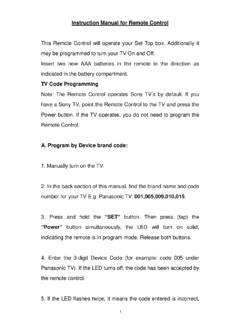
www.wowforbusiness.com6. Point the Remote Control to the TV and press the “Power” button. If the TV turns off, the remote is now programmed to operate the TV. 7. If the TV fails to operate, go back to Step 2 and enter the next code listed under the TV brand. Please be certain to try all codes listed per your TV’s manufacturer. B. Program by Auto Search: 1.
Remote Codes - Device codes for programming the Bell …
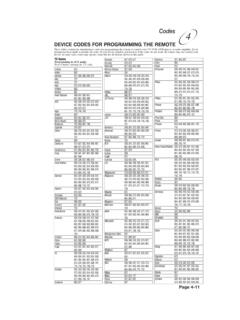
support.bell.caDEVICE CODES FOR PROGRAMMING THE REMOTE Page 4-13 Codes 4 DVD Player Codes Programming in AUX mode: Press 1 before entering the DVD code. Aiwa 634, 694, 751
DIRECTV Universal Remote Control User’s Guide
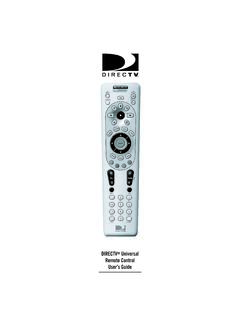
www.att.comDIRECTV® Universal Remote Control User’s Guide DirecTV-M2081A.qxd 12/22/2004 3:44 PM Page 1
UNIVERSAL REMOTE CONTROL GUIDE - FTC
www.farmerstel.comVISIT THE REMOTE CONTROL QUICK REFERENCE SECTION Use the Remote Control Quick Reference section on Page 12 of this guide to familiarize yourself with the remote and the functions of its various keys. Knowing the function and location of the keys on the remote will assist you when you are programming the remote. 4. PROGRAM THE REMOTE
GC2e Panel Installation and Programming Guide
2gig.cominstallation & programming guide,control panel,gc2e (english) 10022313 rev-c - ink: black - material: 20 lb mead bond with 80 lb coated cover - size: 8.5 x 11 inch vertical - scaling 1-1 - folding: album fold - binding: saddle-stich warning: owner’s instruction notice. not to be removed by anyone except occupant. gc2e panel
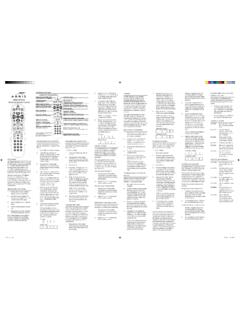
ArriS MP2000 Universal remote control
www.urcsupport.comPrOgrAMMing Device cOnTrOL Use the following instructions to pro-gram the remote for a Tv and/or Audio device. 1. Turn on the Tv you wish to control. 2. Locate the code for your Tv among the Manufacturer’s codes on the back of this user manual. Brands are listed in alphabeti-cal order with the most popular codes listed first. 3.
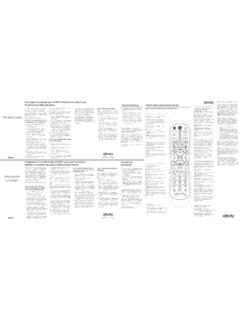
XR2v3-R XR5v2-R
www.xfinity.comremote until the status LED steps above using the next code listed for changes from red to green. 4. Enter the first code listed for the TV manu-facturer. The status LED should flash green twice when the code is entered. 5. Press the TV Power button on the remote. If the TV turns off, you have successfully programmed your remote. Turn the TV back