Example: stock market
DS-780N User's Guide
4. Scroll down and select Operation Time Out. 5. Set Operation Time Out to Off and select OK. Parent topic: Using the Control Panel Preventing PC Connection via USB You can disable access from a USB-connected computer. This restricts non-network access to the product and protects the security of confidential scanned documents. 1.
Tags:
Information
Domain:
Source:
Link to this page:
Documents from same domain

User Manual - PowerLite S18+/W15+/W18+/X24+
files.support.epson.comCorrección de la forma de la imagen con los botones de corrección trapezoidal ..... 72 Corrección de la forma de la imagen con Quick Corner ..... 74

Manual del usuario L575 - files.support.epson.com
files.support.epson.com3 Contenido Manual del usuario L575..... 13

Manual del usuario de la L555 - …
files.support.epson.comCómo escanear utilizando el panel de control del producto..... 74 Cómo cambiar los ajustes predeterminados de los botones de escaneo ..... 75

Manual do usuário - files.support.epson.com
files.support.epson.com2 L Todos os direitos reservados. Nenhuma parte desta publicação pode ser reproduzida, armazenada em sistemas de recuperação ou transmitida de alguma forma ou meio

User's Guide - XP-410 - Epson
files.support.epson.comChanging or Updating Network Connections ..... 34 Accessing the Web Config Utility..... 35

WF-2630 User's Guide - Epson
files.support.epson.comUsing WPS to Connect to a Network..... 35 Printing a Network Status Sheet..... 36

User's Guide - WF-100 - Epson
files.support.epson.comWF-100 User's Guide Welcome to the WF-100 User's Guide. For a printable PDF copy of this guide, click here. 9. Product Basics

2 Guía de instalación OK - files.support.epson.com
files.support.epson.com2 Introduzca el CD del producto o descargue y ejecute el paquete de software del producto: global.latin.epson.com/Soporte/L575 3 …

XP-310 User's Guide - Epson
files.support.epson.comAvailable EPSON Papers ... XP-310 User's Guide Welcome to the XP-310 User's Guide. For a printable PDF copy of this guide, click here. 11. Product Basics

User's Guide - WF-7610/WF-7620 - Epson
files.support.epson.comAvailable Epson Papers ... Welcome to the WF-7610/WF-7620 User's Guide. For a printable PDF copy of this guide, click here. 13. Product Basics
Related documents
SMACNA Seismic Restraint Manual - iccsafe.org
media.iccsafe.orgp DS p p 1 2 0.4 ASCE-7 05 Terms ... restraint manual) ... Occupancy Category IV structure and it is needed for continued operation of the facility or its failure could impair the continued operation of the facility. Component Importance Factor Ip = 1.0 for all other components
Autostar Manual - Meade Instruments
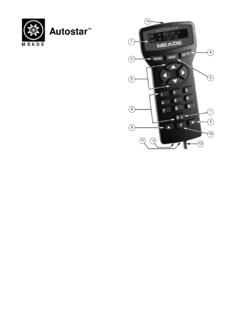
www.meade.cominstructions on the basic operation of the telescope, including usage of the standard-equipment Electronic Controller (EC). DS-telescopes(e.g., DS-60, DS-70, etc.): (a) Refer to the manual included with each of these models for instructions on the basic operation of the telescope. (b) If you purchased a DS-model which
HARDWARE MANUAL
dl.mitsubishielectric.com• This manual contains text, diagrams and explanations which will guide the reader in the correct installation and operation of the FX1N Series Programmable Controllers. It should be read and understood before attempting to install or use the unit. † Further information can be found in the FX Series Programming Manual II.
MagMaster Instruction Manual Electromagnetic Flowmeters
library.e.abb.comInformation in this manual is intended only to assist our customers in the efficient operation of our equipment. Use of this manual for any other purpose is specifically prohibited and its contents are not to be reproduced in full or part without prior approval of Marketing Communications Department, ABB Automation. Health and Safety
Club Car DS Maintenance and Service Manual
mygolfbuggy.comoperation. This manual provides detailed information for the maintenance and repair of the Club Car vehicle, and should be thoroughly reviewed prior to servicing the vehicle. The procedures provided must be properly implemented, and the DANGER, WARNING, and CAUTION statements must be heeded.

Operation and Maintenance Manual for Waste Water …
www.publicworks.gov.zaoperation and the maintenance of the plant without having to revert back to the Consulting Engineer or to the respective equipment suppliers. 2. GENERAL REQUIREMENTS 2.1 Copies: Two complete hard copies plus one electronic copy of the approved and accepted O & M Manual shall be provided to DPW, in English, upon completion and start-up of the WWTP.

DS-7604NI-E1/4P DS-7608NI-E2/8P DS-7616NI-E2/16P NVR …
www.networkwebcams.co.ukDS-7600 Series NVR User’s Manual 2 Hikvision® Network Video Recorder User’s Manual This manual, as well as the software described in it, is furnished under license and may be used or copied only in accordance with the terms of such license. The content of this manual is furnished for informational use only, is subject to change without notice,
PM0075 Programming manual - STMicroelectronics
www.st.comProgramming manual STM32F10xxx Flash memory microcontrollers Introduction This programming manual describes how to program the Flash memory of STM32F101xx, STM32F102xx, STM32F103xx, STM32F105xx and STM32F107xx microcontrollers. For convenience, these will be referred to as STM32F10xxx in the rest of this document unless …

Beretta 92 Series User Manual
www.beretta.comThe new DS models are “double action only” pistols: the hammer always follows the slide forward to come to rest in the double action position (the hammer never stays cocked). The hammer spur has been removed, and is flush with the rear of the slide. The manual safety lever on the slide provides the same function as it does on the 92 FS (Fig ...

TMP102 Low-Power Digital Temperature Sensor With SMBus …
www.ti.comDS A/D Converter OSC Control Logic Serial Interface Config. and Temp. Register Temperature SCL 1 3 6 4 ALERT SDA GND 2 5 V+ ADD0 SCL GND ALERT 2 4 1 ADD0 V+ 6 3 5 0.01 µF Two-Wire Host Controller TMP102 ... for operation over a temperature range of –40°C to 125°C. The TMP102 production units are 100% tested