Example: quiz answers
Poly G40-T Setup Sheet - Polycom Support
Poly G40-T SETUP SHEET See the Regulatory Notices for all regulatory and safety guidance prior to configuration. Avant de procéder à la configuration, veuillez consulter les Avis de réglementation, afin de prendre connaissance des recommandations en matière …
Tags:
Information
Domain:
Source:
Link to this page:
Documents from same domain
Connecting Polycom VVX Business Media Phones …
support.polycom.comPolycom, Inc. 1 Connecting Polycom® VVX® Business Media Phones with Better Together over Ethernet Feature Profile 87907 Microsoft® Lync™ Better Together over Ethernet (BToE) feature on Polycom® VVX® business media
FP 37477: Using Headsets with Polycom Phones
support.polycom.comPolycom VVX® 300/310, 400/410 running Polycom® UC software 4.1.4 or later This feature profile includes the following major sections: Phone Interface Types, Cables, and Adapters Lists Polycom phone interface types and ... Plantronics Voyager Pro UC VVX 500, 600 None

Polycom VVX 300 and 310 Business Media Phones …
support.polycom.comPolycom, Inc. 6 About This Guide This guide uses a number of conventions that help you to understand information and perform tasks. Conventions Used in this Guide
Web Configuration Utility User Guide - Polycom …
support.polycom.comPolycom Web Configuration Utility User Guide Polycom, Inc. 6 Typographic Conventions Convention Description Bold Highlights interface items such as menus, soft keys, file names, and

Release Notes - Polycom Unified Communications for Cisco ...
support.polycom.comCisco Products Version Cisco TelePresence Video Communications Server x7.2.2 Cisco C Series TC 6.1.1 Cisco EX Series TC 6.1.1 Cisco SX Series TC 6.1.1 Cisco E20 TE 4.1.1 Cisco TelePresence MCU 4.3 Cisco CTS 3010/1300 1.9.x, 1.10.x Verified Polycom Product Versions Polycom Products Version ...
FP 37477: Using Headsets with Polycom Phones
support.polycom.comUsing Headsets with Polycom® Phones: Feature Profile 37477 3 compatible with a number of different headset types, including analog, USB, electronic hookswitch (EHS), and Bluetooth headsets.
Using the Software Upgrade Tool in the ... - …
support.polycom.comFeature Profile 67993 Using the Software Upgrade Tool in the Web Configuration Utility September 2011 | 1725-47119-001 RevA1 1 The Software Upgrade tool built into the Polycom Web Configuration Utility enables administrators to

Polycom RealPresence Trio Solution User Guide
support.polycom.comUSER GUIDE UC Software 5.4.4 | December 2016 | 3725-20598-003A Polycom® RealPresence Trio™ Solution Applies to Polycom® RealPresence Trio™ 8800 and Polycom® RealPresence Trio™ Visual+

Polycom Interoperability with BlueJeans Solution Guide
support.polycom.comsoftware, and partner solutions topics. Polycom, Inc. 3. Audience, Purpose, and Required Skills. This guide is designed to assist an IT administrator configure Polycom endpoints to join BlueJeans meetings. This guide is written for a technical audience. You are expected to understand basic
Polycom Installed Voice
support.polycom.com8 GAIN STRUCTURE FOR LINE INPUT SOURCES Once the external devices have been wired to the Vortex Device, the Input and/or Output gain of the Vortex Device needs to be set to match the nominal level of the external devices.
Related documents
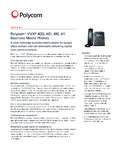
Polycom® VVX® 400, 401, 410, 411 Business Media Phones
www.polycom.comPolycom® VVX® 400, 401, 410, 411 Business Media Phones A color midrange business media phone for today’s office workers and call attendants delivering crystal clear communications The Polycom ® VVX 400 Series are expandable color business media phones that deliver crystal clear communications, enhanced collaboration and personal productivity.

Polycom VVX 301 and 311 Business Media Phones Datasheet
www.polycom.comThe Polycom® VVX® 301 and 311 Business Media Phones are expandable business media phones that deliver crystal clear communications, enhanced collaboration and personal productivity. Simplicity and ease of use The VVX 301 and 311 Business Media Phones bring high-quality, cost-effective solutions to
Web Configuration Utility User Guide - Polycom
support.polycom.comPolycom, Inc. 7 Chapter 1: Getting Started with the Web Configuration Utility This chapter introduces the Polycom Web Configuration Utility and shows you how to access the Web Utility. About the Web Configuration Utility The Web Configuration Utility is available for all Polycom Voice products capable of running Polycom UC software 4.0.0 or later.