Example: dental hygienist
User Guide What You Can Do with This Machine - Ricoh
Read this manual carefully before you use this machine and keep it handy for future reference. For safe and correct use, be sure to read the Safety Information in "Read This First" before using the
Tags:
Information
Domain:
Source:
Link to this page:
Documents from same domain

Istruzioni per l’uso Risoluzione dei problemi
support.ricoh.comIstruzioni per l’uso Risoluzione dei problemi Leggere attentamente questo manuale prima di utilizzare la macchina e tenerlo a disposizione per …

Operating Instructions General Settings Guide - …
support.ricoh.comOperating Instructions General Settings Guide Read this manual carefully before you use this machine and keep it handy for future reference. For safe and correct use, be sure to …

DDST Unit Type A / Type B - Ricoh
support.ricoh.comDDST Unit Type A / Type B Operating Instructions Printer / Scanner Reference Read this manual carefully before you use this machine and keep it handy for future reference.

Gebruiksaanwijzing Scannerhandleiding - …
support.ricoh.comGebruiksaanwijzing Scannerhandleiding Lees deze handleiding zorgvuldig door voordat u dit apparaat gebruikt en houd hem bij de hand voor toekomstig gebruik.

SP 210/SP 210SU/SP 210SF/ SP 211/SP ... - …
support.ricoh.com5 CTT213 CTT073 CTT074 DCT032 DCT049 CTT029 To connect to the network via wireless LAN, see Wi‑ Fi Settings Guide. Otherwise, see page 7 "2. Install‑

Manuel utilisateur Guide de paramétrage général
support.ricoh.comManuel utilisateur Guide de paramétrage général Lisez attentivement ce manuel avant d’utiliser ce copieur et conservez-le dans un endroit accessible afin de pouvoir vous y référer ultérieure-

SP 212/SP 213 Series Wi-Fi Settings Guide - Ricoh
support.ricoh.com1 Model No. SP 212/SP 213 Series Wi-Fi Settings Guide Introduction There are two wireless LAN modes: infrastructure mode for connection through an access point and ad-hoc mode for establishing direct connection with a wireless LAN-capable device

Operating Instructions General Settings Guide - …
support.ricoh.comOperating Instructions General Settings Guide Read this manual carefully before you use this machine and keep it handy for future reference. For safe and correct use, be sure to …

Operating Instructions Troubleshooting - Ricoh
support.ricoh.comOperating Instructions Troubleshooting Read this manual carefully before you use this machine and keep it handy for future reference. For safe and correct use, be …

Network Guide - Ricoh
support.ricoh.comNetwork Guide Read this manual carefully before you use this machine and keep it handy for future reference. For safe and correct use, be sure to read the
Related documents
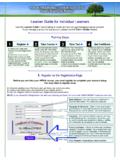
Learner Guide for Individual Learners - My HIPAA Training
myhipaatraining.com2 2. Take Your HIPAA Course After Registering, always log-in from the main page at www.MyHIPAAtraining.com. The HOME Screen The HOME screen is what you see after logging-in.

Logging In: Searching for a Session: Registering for a Session
www.ocwtp.netSurveys: To access your survey using the e-mail notification: On the last day of the session, you will receive an e-mail containing a link to your session survey.
HP LeftHand Storage Solutions
www.hp.comWorking with the storage node ..... 44 Logging in to and out of storage nodes ..... 44

GrantsPlus User Guide
www.grantsplus.org.ukV1.0 7 Logging in & Dashboard To login to GrantsPlus you will need to use your email address and password that you used to register with. If you can’t remember your password you can click the ‘Forgot Password´ link

Amazon FreeRTOS - User Guide
docs.aws.amazon.comAmazon FreeRTOS User Guide Prerequisites Getting Started with Amazon FreeRTOS This section shows you how to download and configure Amazon FreeRTOS and run a demo ...
Department of Transportation
www.gpo.govFederal Register/Vol. 80, No. 241/Wednesday, December 16, 2015/Rules and Regulations 78293 1 Quick Response (QR) codes convert information into two dimensional barcodes that can be read using common tools such as smart phones or hand scanners. TransferJet, the close-proximity transfer of
IRS Form 990-N Electronic Filing System
www.irs.govIRS Form 990-N Electronic Filing System (e-Postcard) User Guide. Publication 5248 (Rev. 3-2018) Catalog Number 68747U . Department of the Treasury

RE-1, RE-2, RK-1 Router User Guide - mybakpak.com
www.mybakpak.comBakPak Cloud Management System 4 10. Connect an Ethernet cable from your computer directly to the Management Agent. 11. Configure the PC with a static IP address of 192.168.1.10 and subnet mask of 255.255.255.0,