Example: bachelor of science
User's Guide - ET-3710
7. Select OK to exit. Parent topic: Using the Control Panel Turning Off the Operation Time Out Setting The Operation Time Out setting causes the LCD screen to return to the Home screen after a few minutes of inactivity. This feature is enabled by default, but you can turn it off. 1. Press the home button, if necessary. 2. Select Settings. 3.
Tags:
Information
Domain:
Source:
Link to this page:
Documents from same domain

User's Guide - XP-410 - Epson
files.support.epson.comChanging or Updating Network Connections ..... 34 Accessing the Web Config Utility..... 35

WF-2630 User's Guide - Epson
files.support.epson.comUsing WPS to Connect to a Network..... 35 Printing a Network Status Sheet..... 36

Manual del usuario L575 - files.support.epson.com
files.support.epson.com3 Contenido Manual del usuario L575..... 13

Manual del usuario de la L555 - …
files.support.epson.comCómo escanear utilizando el panel de control del producto..... 74 Cómo cambiar los ajustes predeterminados de los botones de escaneo ..... 75

User's Guide - WF-100 - Epson
files.support.epson.comWF-100 User's Guide Welcome to the WF-100 User's Guide. For a printable PDF copy of this guide, click here. 9. Product Basics

User Manual - PowerLite S18+/W15+/W18+/X24+
files.support.epson.comCorrección de la forma de la imagen con los botones de corrección trapezoidal ..... 72 Corrección de la forma de la imagen con Quick Corner ..... 74

2 Guía de instalación OK - files.support.epson.com
files.support.epson.com2 Introduzca el CD del producto o descargue y ejecute el paquete de software del producto: global.latin.epson.com/Soporte/L575 3 …

Manual do usuário - files.support.epson.com
files.support.epson.com2 L Todos os direitos reservados. Nenhuma parte desta publicação pode ser reproduzida, armazenada em sistemas de recuperação ou transmitida de alguma forma ou meio

XP-310 User's Guide - Epson
files.support.epson.comAvailable EPSON Papers ... XP-310 User's Guide Welcome to the XP-310 User's Guide. For a printable PDF copy of this guide, click here. 11. Product Basics

User's Guide - WF-7610/WF-7620 - Epson
files.support.epson.comAvailable Epson Papers ... Welcome to the WF-7610/WF-7620 User's Guide. For a printable PDF copy of this guide, click here. 13. Product Basics
Related documents
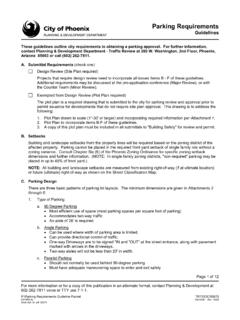
Parking Requirements - Phoenix, Arizona
www.phoenix.govParking Requirements Guideline Packet . ... Site plans or parking plans should indicate the path of the stormwater drainage, location of catch basins and ... • Driveway connections should be located at points that facilitate the efficient entry and exit of vehicles
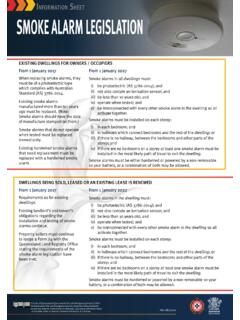
Info Sheet - Smoke Alarm Legislation
www.qfes.qld.gov.auinstalled in the most likely path of travel to exit the dwelling. Smoke alarms must be either hardwired or powered by a non-removable 10 year battery, or a combination of both may be allowed. DWELLINGS BEING SOLD, LEASED OR AN EXISTING LEASE IS RENEWED From 1 January 2017 From 1 January 2022 Requirements as for existing dwellings.

Part B Means of Escape - Buildings Department
www.bd.gov.hkSubsection B5 – General Requirements of Exit Routes Clause B5.1 Every building to which this Part applies should be so constructed that there are available from each storey or fire compartment of the building such exits and exit routes as will comply with the requirements set out in this Part. Clause B5.2
Place of Assembly - Welcome to NYC.gov | City of New York
www1.nyc.gov• Exit signs – BC §1011 Egress • Main exit provided for assembly space greater than 300 persons – BC §1028.2 • A-1 foyer and lobby waiting areas do not encroach on egress path – BC §1028.4 • Interior balcony or gallery for greater than 50 persons is provided with two means of egress – BC §1028.5
LabelWriter UserGuide en - DYMO
download.dymo.comLabel feed path and tear bar Label roll Reverse label button Form-feed button and status light Label exit slot LabelWriter 450 Duo Open label cassette tray Label guide LabelWriter 4XL Top cover Label spool Label release Label feed path and tear bar Label roll Reverse label button Form-feed button and status light S/N 00000-0000000 DC power ...

F-TAG 679 ACTIVITIES.
www.nccap.orgexit-seeking behavior and reduces extraneous stimulation (such as seating areas spaced along a walking path or garden; a setting in which the resident may manipulate objects; or a room with a calming atmosphere, for example, using music, light, and rocking chairs);

Guide to Handrail & Guard Railing - Free Quotes | Wagner
www.wagnerarchitectural.comNFPA 101: Life Safety Code provides requirements that limit the effects of fire and related hazards. It is most likely to apply to handrail along a fire exit or fire stairs but is not applied in all instances (e.g. California does not use NFPA 101). The NFPA is overseen and enforced by local fire marshals – not the building inspector.

Virginia Work Area Protection Manual
www.vdot.virginia.govPath Closed2 R11-V4 WZPBG 48 x 30 48 x 30 48 x 24 Shoulder Closed2 R11-V5 WZPBG 54 x 30 54 x 30 54 x 30 Weight Limit R12-1, 2 6F.11 36 x 48 36 x 48 36 x 48 Weight Limit Symbol R12-V1 6F.11 48 x 54 36 x 42 36 x 42 Crash – No Injuries …

User's Guide - M200/M205 - files.support.epson.com
files.support.epson.com7. Press the Ajustes to exit. Parent topic: The Power Off and Sleep Timers Changing the Power Off and Sleep Timer Settings - Windows You can use the printer software to change the time period before the printer enters sleep mode or turns off automatically. 20