Basic System Administration - VMware
4 Using the VI Client 41 VI Client Overview 41 Menu Bar 43 Pop‐Up Menus 45 Console Menu 45 Navigation Bar 46 Inventory View Tabs 49 Toolbar 52 Status Bar, Recent Tasks, and Triggered Alarms 53 Panel Sections 53 Sorting and Filtering Lists 54 Using Custom Attributes 55 Selecting and Viewing Objects 57 Selecting Objects 57
Download Basic System Administration - VMware

Information
Domain:
Source:
Link to this page:
Documents from same domain

Timekeeping in VMware Virtual Machines
www.vmware.comTimekeeping Basics Computer operating systems typically measure the passage of time in one of two ways: • Tick counting The operating system sets up a hardware device to interrupt periodically at a known rate, such as 100 times

VMware vCenter Converter Standalone User's Guide …
www.vmware.comVMware vCenter Converter Standalone User's Guide vCenter Converter Standalone 5.5 This document supports the version of each product listed and supports all subsequent versions until the document is

Virtual Machine to Physical Machine Migration - …
www.vmware.comVMWARE TECHNICAL NOTE 3 Preparing for a V2P Migration Perform the following prior to migrating a virtual machine to a physical machine: 1. Identify the …

Workstation User’s Manual - vmware.com
www.vmware.comWorkstation User’s Manual 6 VMware, Inc. Installing a Guest Operating System 97 Example: Installing Windows XP as a Guest Operating System 99

VMware vSphere with Operations Management and …
www.vmware.comWHITE PAPER / 3 VMware Sphere wit perations Management and VMware Sphere Executive Summary This guide provides an overview of the licensing, pricing, and

VMware VMotion
www.vmware.comHow Is VMware VMotion Used? VMotion allows users to: • Automatically optimize and allocate entire pools of resources for maximum hardware utilization, flexibility and …

Debugging Virtual Machines with the Checkpoint to …
www.vmware.comVMware, Inc. 2 Debugging Virtual Machines with the Checkpoint to Core Tool 3Run the vmss2core tool with options selecting your preferred output type.

Performance Evaluation of VMXNET3 Virtual …
www.vmware.comVMware, Inc. 3 Performance Evaluation of VMXNET3 Virtual Network Device Details of the different TCP tests mentioned above can be found in the netperf documentation.

Architecting Microsoft SQL Server on VMware …
www.vmware.comBEST PRACT ICES GU IDE / P AG E 4 OF 53 Architecting Microsoft SQL Server on VMware vSphere List of Figures Figure 1. vSphere HA 9 Figure 2. vSphere FT 9

VMware Tools User Guide
www.vmware.comVMware Tools User Guide VMware Tools 10.1.0 This document supports the version of each product listed and supports all subsequent versions until the document is
Related documents
iVMS-4200 Client Software - hikvisionusa.com
hikvisionusa.comthe flexible distributed structure and easy-to-use operations, the client software is widely applied to the surveillance projects of medium or small scale. This user manual describes the function, configuration and operation steps of iVMS-4200 software.
Integra32 User Manual - RBH Access
www.rbh-access.comRBH Access Technologies Inc. Integra32™ User’s Guide 3 C h a p t e r 2 G e t t i n g t o K n o w I n t e g r a 3 2 ™ Integra32™ lets you manage and monitor all your security access needs using a standard PC. There are four separate parts to the Integra32‟s™ main screen: Command Bar
Introduction to COMSOL Multiphysics
cdn.comsol.comThe Quick Access Toolbar gives access to functionality such as Open, Save, Undo, Redo, Copy Paste, and Delete. You can customize its content from the Customize Quick Access Toolbar list (the downward-facing arrow to the right of the toolbar). ... The COMSOL Client for Windows ...
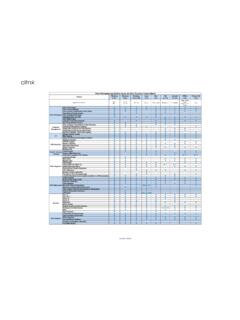
Citrix Workspace app Feature Matrix
www.citrix.comDec 17, 2021 · Access the local application on client device inside the session. ... Enables in session control of session functions like sending Ctrl+Alt+Del via a toolbar. Enable multiple apps and desktop to be used at the same time Support for audio input and output over UDP .

Oracle Forms 12c
www.oracle.combegin expecting to have access to their applications in the same way as so many other applications, through a web browser. Oracle Forms 6i was the first version to fully support application deployment via a web browser. Because of the need for tight integration on the client tier, it was necessary to use
Oracle Forms 12
www.oracle.comClient-Idle (SYSTEM_CLIENT_IDLE) 5 DB-Idle (SYSTEM_DB_IDLE) 6 ... Smartbar (toolbar) Size 12 Improved Canvas Background Image Support 13 Image Item Sizing Style Property 14 Item Level Mouse Cursor (Pointer) 14 ... Access the properties for this new object in the Property Palette. 3. Set the Report Type property to OraBIP.
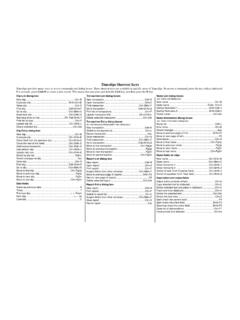
Timeslips Shortcut Keys
www.sage.comTimeslips toolbar. You can ch oose to show or hide this toolbar in the Interface page of the Personal Preferences dialog box. Pressing the Shift key clicking a List toolbar button is a shortcut to open the associ ated data entry dialog box. For example, Shift+clicking the Client List toolbar button opens the Client Information dialog box. Cut Paste