
Polycom OBi302 Installation and Configuration Guide
Important: Only an analog telephone or fax machine should be connected to the OBi device. Do not connect a cable from the FXS/PHONE port to a telephone jack powered by the phone company. Doing so may cause damage to the OBi device’s electronics. For full regulatory information, visit https://support.polycom.com. Warranty Information
Download Polycom OBi302 Installation and Configuration Guide

Information
Domain:
Source:
Link to this page:
Documents from same domain

Polycom VVX 300 and 310 Business Media Phones …
support.polycom.comPolycom, Inc. 6 About This Guide This guide uses a number of conventions that help you to understand information and perform tasks. Conventions Used in this Guide

Web Configuration Utility User Guide - Polycom …
support.polycom.comPolycom Web Configuration Utility User Guide Polycom, Inc. 6 Typographic Conventions Convention Description Bold Highlights interface items such as menus, soft keys, file names, and

Connecting Polycom VVX Business Media Phones …
support.polycom.comPolycom, Inc. 1 Connecting Polycom® VVX® Business Media Phones with Better Together over Ethernet Feature Profile 87907 Microsoft® Lync™ Better Together over Ethernet (BToE) feature on Polycom® VVX® business media
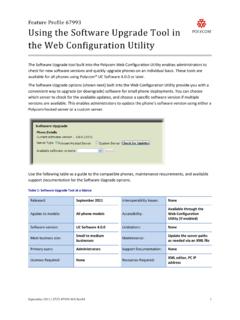
Using the Software Upgrade Tool in the ... - …
support.polycom.comFeature Profile 67993 Using the Software Upgrade Tool in the Web Configuration Utility September 2011 | 1725-47119-001 RevA1 1 The Software Upgrade tool built into the Polycom Web Configuration Utility enables administrators to

Polycom RealPresence Trio Solution User Guide
support.polycom.comUSER GUIDE UC Software 5.4.4 | December 2016 | 3725-20598-003A Polycom® RealPresence Trio™ Solution Applies to Polycom® RealPresence Trio™ 8800 and Polycom® RealPresence Trio™ Visual+
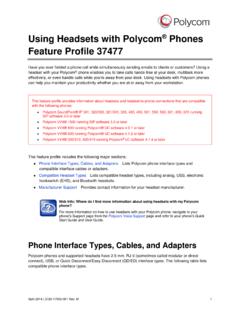
FP 37477: Using Headsets with Polycom Phones
support.polycom.comUsing Headsets with Polycom® Phones: Feature Profile 37477 3 compatible with a number of different headset types, including analog, USB, electronic hookswitch (EHS), and Bluetooth headsets.
FP 37477: Using Headsets with Polycom Phones
support.polycom.comPolycom VVX® 300/310, 400/410 running Polycom® UC software 4.1.4 or later This feature profile includes the following major sections: Phone Interface Types, Cables, and Adapters Lists Polycom phone interface types and ... Plantronics Voyager Pro UC VVX 500, 600 None

Polycom Installed Voice
support.polycom.com8 GAIN STRUCTURE FOR LINE INPUT SOURCES Once the external devices have been wired to the Vortex Device, the Input and/or Output gain of the Vortex Device needs to be set to match the nominal level of the external devices.

Polycom Interoperability with BlueJeans Solution Guide
support.polycom.comsoftware, and partner solutions topics. Polycom, Inc. 3. Audience, Purpose, and Required Skills. This guide is designed to assist an IT administrator configure Polycom endpoints to join BlueJeans meetings. This guide is written for a technical audience. You are expected to understand basic

Release Notes - Polycom Unified Communications for Cisco ...
support.polycom.comCisco Products Version Cisco TelePresence Video Communications Server x7.2.2 Cisco C Series TC 6.1.1 Cisco EX Series TC 6.1.1 Cisco SX Series TC 6.1.1 Cisco E20 TE 4.1.1 Cisco TelePresence MCU 4.3 Cisco CTS 3010/1300 1.9.x, 1.10.x Verified Polycom Product Versions Polycom Products Version ...
Related documents

USER’S GUIDE 2747
support.casio.comTo adjust the analog time 1.In the Timekeeping Mode, press C six times to enter the Hand Setting Mode. 2.Hold down A until the current digital time starts to flash, which indicates the analog setting screen. 3.Press D to advance the analog time setting by 20 seconds. ∑Holding down D advances the analog time setting at high speed. Press C.

Telephone Paging Amplifier - Bogen
www.bogen.comNight Ringer Connection Either a standard telephone (analog) ring signal (90 – 105V AC, 20 – 30 Hz) or an external contact closure activates the night ringer function of the amplifier. To activate the night ringer using standard telephone (analog) ring, connect the analog station's tip lead to the TEL RING "T" terminal and connect the ring lead

User Manual: Model 1700 Transmitters with Analog Outputs
www.emerson.comAnalog Outputs Configuration and Use Manual. Safety messages ... Telephone: North and South America Europe and Middle East Asia Pacific United States 800-522-6277 U.K. 0870 240 1978 Australia 800 158 727 Canada +1 303-527-5200 The Netherlands +31 (0) 704 136 666 New Zealand 099 128 804

ANALOG COMMUNICATIONS - Institute of Aeronautical …
www.iare.ac.inEvaluate Analog Communication system in terms of the complexity of the transmitters and receivers. UNIT-I SIGNAL ANALYSIS AND LTI SYSTEMS Classes: 10 ... examples of modern high speed signals are the voltage charger in a telephone wire, the electromagnetic field emanating from a transmitting antenna, variation of light intensity in an

OBi200 Polycom - OBiTALK
www.obitalk.comImportant: Only an analog telephone or fax machine should be connected to the OBi PHONE port. Do not connect a cable from the PHONE port to a telephone jack powered by the phone company. Doing so may cause damage to the OBi electronics. For full regulatory information, visit www.obitalk.com Go to: www.obitalk.com Register for a Polycom OBiTalk ...

Global System for Mobile Communication (GSM)
www.uky.eduIn the early 1980s, most mobile telephone systems were analog rather than digital, like today's newer systems. One challenge facing analog systems was the inability to handle the growing capacity needs in a cost-efficient manner. As a result, digital technology was welcomed. The advantages of digital systems over