Example: tourism industry
AC1900 Wi-Fi Range Extender
There are two ways to use your Linksys extender: as a wireless range extender or as a wired range extender (access point). Wireless range extenders repeat existing Wi-Fi signals. Wired range extenders (access points) create new Wi -Fi hotspots when connected to a router or access point with an Ethernet cable.
Tags:
Information
Domain:
Source:
Link to this page:
Documents from same domain

Linksys PLW400 User Guide
downloads.linksys.comUser Guide Linksys PLW400 Powerline AV Wireless Network Extender. 2 Linksys PLW400 Contents ... see your wireless network device’s user documentation The PLW400’s Wireless LED flashes, then stays on when a wireless network device successfully connects Setting .up .advanced .security

User Guide - WRT1900AC Dual Band Gigabit Wi-Fi …
downloads.linksys.comWRT 1900AC | Contents PRODUCT OVERVIEW 1 WRT1900AC 3 Wall-mounting placement SETTING UP: BASICS 5 How to create a home network 5 What is a network? 5 How to set up a home network

Compact Wireless-G Broadband Router - Linksys
downloads.linksys.comTable of Contents Compact Wireless-G Broadband Router ii Chapter 1: Product Overview 4 Front Panel.

Linksys EG005W Gigabit 5-Port Workgroup Switch
downloads.linksys.comAbout This Guide Gigabit 5-Port Workgroup Switch i ... Address learning and aging is ... refund the purchase price of the

16-Port and 24-Port 10/100 Switches - Linksys
downloads.linksys.comChapter 1: Introduction r With its advanced switching technology, the Linksys 16- or 24-Port 10/100 Switch will boost your network performance with much more than just full

Wireless-G Broadband Router - Linksys
downloads.linksys.comChapter 1 Product Overview W reless-G Broadband Router Chapter : Product Overv ew Thank you for choosing the Linksys Wireless-G Broadband Router. The Router lets you access the Internet via a

Routeur sans fil N pour la maison - …
downloads.linksys.comÀ propos de ce guide Routeur sans fil N pour la maison i ... Linksys, Cisco et le logo Cisco sont des marques de commerce ou des marques

Routeur Gigabit sans fil N double bande en simultané
downloads.linksys.comÀ propos de ce guide Routeur Gigabit sans fil N double bande en simultané i À propos de ce guide Description des icônes Pendant la lecture de ce guide …

Valet and Valet Plus User Guide - Linksys
downloads.linksys.com5 UserGuide Chapter2:CiscoConnect b . Plugthepoweradapterintoanelectricaloutlet . ConnecttoElectricalOutlet

Linksys PLWK400 User Guide
downloads.linksys.com4 Linksys PLWK400 Overview PLW400 Wi-Fi Protected Setup button—Press this button to connect with other wireless network devices that have a Wi-Fi Protected Setup button HomePlug Simple Connect button—Configures advanced security (the network password) for your Powerline network
Related documents
SETTING UP AND USING YOUR NETWORK EXTENDER
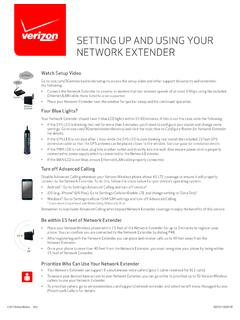
www.verizonwireless.comNetwork Extender. • Once your phone is more than 40 feet from the Network Extender, you must reregister your phone by being within 15 feet of Network Extender. Prioritize Who Can Use Your Network Extender • Your Network Extender can support 6 simultaneous voice callers (plus 1 caller reserved for 911 calls).

Model # RE3000W V2/RE4100W - Linksys
downloads.linksys.comb) Click Register on the extender’s Wi-Fi Protected Setup screen. When the connection is complete, the Wi-Fi Protected Setup light on the extender will be solid for 10 seconds. c) Click OK on the extender’s Wi-Fi Protected Setup screen within two minutes or you will have to start over. 3. Connecting with the extender’s PIN

Setting up your Smart Wi-Fi Extender
www.att.comlight on the front of the extender indicating you’re paired, you’re all set. 1. 2. Tip: Make sure the Ethernet cable is firmly connected. Once both ends are properly connected, the Ethernet port LED will turn . SOLID GREEN. After the extender . has been paired and the front LED is. SOLID. WHITE, you can connect another device by Ethernet.

TL-WPA4220 AV600 Powerline Wi-Fi Extender
static.tp-link.comWhen product has power button, the power button is one of the way to shut off the product; when ... Extender into an ordinary AC power outlet, and then your Cable/xDSL broadband connection or existing Ethernet (LAN) network can be easily extended to …

Wireless-N Range Extender User Manual
www.o2.czWireless-N Range Extender. The individual reading this manual is presumed to have a basic understanding of home networking terminology and concepts. If you find the product to be inoperable or malfunctioning, please contact technical support for immediate service by email at homesupport@comtrend.com For product updates, new product release ...
If your display still shows “Searching for GPS” after one ...
www.verizonwireless.comOnce the Network Extender is in service, your phone must be within 50 feet, horizontally, of the unit. To verify your Verizon Wireless phone is connected to the Network Extender: Device Not Activated1. Make sure your phone has Advanced Calling or HD Voice activated. 2.