Transcription of DESKTOP PAYROLL Getting Started Guide
1 Getting Started GuideDESKTOP PAYROLLG etting Started GuideDESKTOP PAYROLLiiWelcome to QuickBooks DESKTOP PayrollQuickBooks DESKTOP PAYROLL gives you the tools you need to efficiently manage your PAYROLL . Because it works inside your QuickBooks Accounting software, QuickBooks DESKTOP PAYROLL is easy to set up and use. And because it's a subscription service, you can be sure that QuickBooks DESKTOP PAYROLL is keeping you up-to-date with the latest tax tables, tax forms, and other regulatory changes that affect DESKTOP PAYROLL makes your important PAYROLL activities easy:1. Pay employees easily1 Just enter time and let QuickBooks DESKTOP PAYROLL do all the PAYROLL math: earnings, PAYROLL taxes, and deductions.
2 Then pay your employees using free direct deposit or print their paychecks from your computer. 2. Pay your taxes QuickBooks DESKTOP PAYROLL tracks your PAYROLL taxes and other PAYROLL -related liabilities as you go and reminds you when payments are due so you can avoid late payments and penalties. You can pay taxes electronically with E-File & Pay2 or you can print checks from File tax forms If you have a PAYROLL Enhanced subscription, QuickBooks DESKTOP PAYROLL automatically fills in federal and most state tax forms for you. You can file forms electronically with E-File & Pay2,or you can print them from QuickBooks. If you have a PAYROLL Basic subscription, you can generate tax reports and work with your accountant to Nominal fees apply.
3 See current prices at Federal and state forms and the E-File & Pay feature are available only to PAYROLL Enhanced subscribers. Check the website for E-File & Pay availability for your state. You may need to register with tax agencies to use E-File & Pay. PAYROLL Basic does not include tax forms or E-File & of ContentsWhat s in this guideTips for new employers 2 Getting Started 3 The PAYROLL Center 5 Paying employees 6 Paying taxes and other liabilities 12 Filing tax forms 13 Activate your DESKTOP PAYROLL subscription ..3 Set up PAYROLL ..3 Create paychecks ..6 Set up direct deposit ..8 Manage employees ..9 Manage PAYROLL items.
4 10 Keep tax tables up to date ..112 Tips for new employersIf you re hiring your first employees, these tips can help you get Started :1. W-2 or 1099? Do you want the work performed on company premises? Will you provide the tools the worker needs to do his or her job? Do you want to control the hours the person works?If you mostly answered "yes, you probably want to hire a W-2 employee, not a 1099 independent contractor. For more detailed information, see IRS Pub. 15-A ( ).2. Get your Employer Identification Number (EIN)Every business needs an EIN from the IRS for federal tax reporting and tax payment. It s easy to apply (go to and search "Apply online EIN").
5 Many states also require that businesses request a state tax account or identification Employee paperwork (I-9, W-4)Gather I-9 forms from employees to ensure eligibility to work in the United States, plus tax-withholding forms such as the federal W-4 and equivalent state forms. (After activating QuickBooks DESKTOP PAYROLL , go to Employees > Employee Forms for blank I-9s and W-4s.) Finally, the business must report employees to the state within 7 to 20 days of hire, depending on the state. (Check for the rules for your state.)4. Labor Law PostersWith even one employee, you are required by law to display labor law posters. Intuit makes it easy to stay up to date with our Poster Compliance Service ( ).
6 Fees Workers CompensationPay your workers' comp premiums automatically with PAYROLL using our Workers' Comp Payment Service ( ). Check workers' comp off your to-do list for the year! Fees may startedActivate your DESKTOP PAYROLL subscriptionIf you purchased QuickBooks DESKTOP PAYROLL in a retail store, install and register QuickBooks. Then click Employees > PAYROLL > Install PAYROLL from you're already using QuickBooks without a DESKTOP PAYROLL subscription, you can purchase and activate DESKTOP PAYROLL by going to the QuickBooks Home page and clicking Turn On PAYROLL . (Alternatively, click Employees > PAYROLL > Turn on PAYROLL in QuickBooks.)
7 In each case, provide your company information, including your EIN, and debit or credit card information for monthly fees based on the number of employees you pay (and the base service price, if you're purchasing through QuickBooks).(If you purchased DESKTOP PAYROLL on the web or by phone, you received a letter with your PAYROLL service key. From QuickBooks, click Employees > PAYROLL > Enter Service Key and follow the instructions in the letter.) At the end of activation, QuickBooks DESKTOP PAYROLL automatically updates your PAYROLL service key, downloads the latest federal and state tax tables and (for PAYROLL Enhanced only) tax forms, and opens the PAYROLL Setup wizard to Guide you through setting up up payrollThe PAYROLL Setup interview guides you through setting up everything you need to run PAYROLL and pay employees, from employees information to PAYROLL taxes and common compensation and benefits Setup is easy, and the interview helps you each step of the way.
8 You should set aside 20 minutes to an : Use the checklist at to see what information you ll need to the Employees menu in QuickBooks, click PAYROLL Setup to start the 1 Choose whether you re a new employer with no PAYROLL history or whether you have paid employees by any method during the current calendar year. Your answer lets PAYROLL Setup customize the interview for your situation. 2 Work through the steps, supplying requested information and clicking Continue on each screen. If you don t have some of the information you need, note it and come back to PAYROLL Setup to supply it any time you need to leave the interview.
9 To resume PAYROLL Setup where you left off, go to Employees > PAYROLL sure to come back and complete the entire interview to ensure that QuickBooks DESKTOP PAYROLL has all your tax liabilities and PAYROLL history (if any) correctly PAYROLL CenterUse the PAYROLL Center to manage all your PAYROLL -related activities. To get there, click the PAYROLL Center icon on the QuickBooks Home page, or go to the Employees menu and click PAYROLL the Employees tab to add employees and change employee your DESKTOP PAYROLL subscription and account information. Get services like Intuit's Poster Compliance Service or Workers' Comp Payment this tab, pay your employees by free direct deposit or by check.
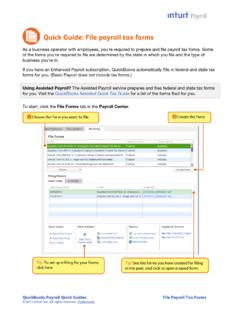
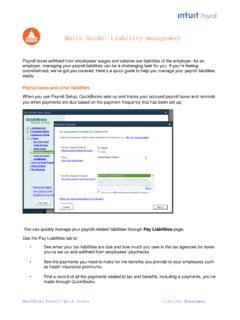
10 You enter hours, and QuickBooks does the tax this tab, file federal and most state tax forms. QuickBooks fills in the information; you just review and either file electronically from QuickBooks 1 or print and this tab, see when your tax liabilities are due and how much you owe. Pay electronically from QuickBooks1 or print and mail Tax forms and the E-File & Pay feature for federal and selected state forms are only available with PAYROLL Enhanced. Check for available states. You may need to register with tax agencies to use E-File & Additional fees employeesCreate paychecksUse the Create Paychecks area of the Pay Employees tab to pay your to set up PAYROLL schedules.